Setup Auto Reminder
Set up automated reminders to ensure timely payments and avoid overdues.
Setting up reminders and alerts not only helps you stay organized but also serves as a visual cue to prompt action. By incorporating these strategies into your routine, you can significantly reduce the chances of forgetting a payment
Auto Reminder Settings
To set a Call Reminder in ReputeInfo, follow these steps:
- Web
- Android/iOS
Step 1: Log in to your ReputeInfo account.
Step 2: Click on the Debtors (Buyers) tab in the left-hand sidebar.
Step 3: Deptor of person you want to set auto-reminder, click on the action ⋮ icon.
Step 4: Click on the Auto Reminder option.
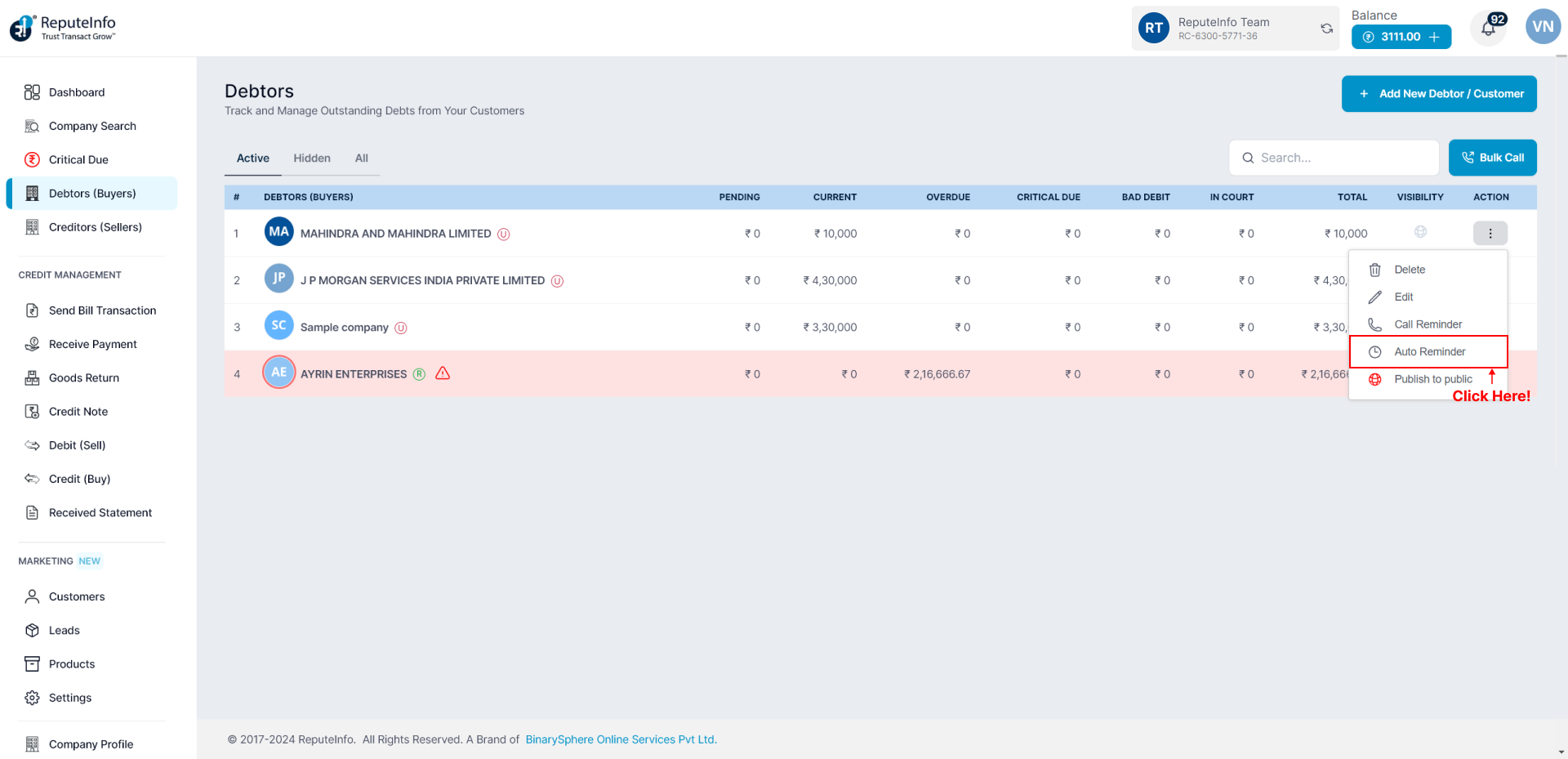
Step 5: A auto-reminder form will appear.
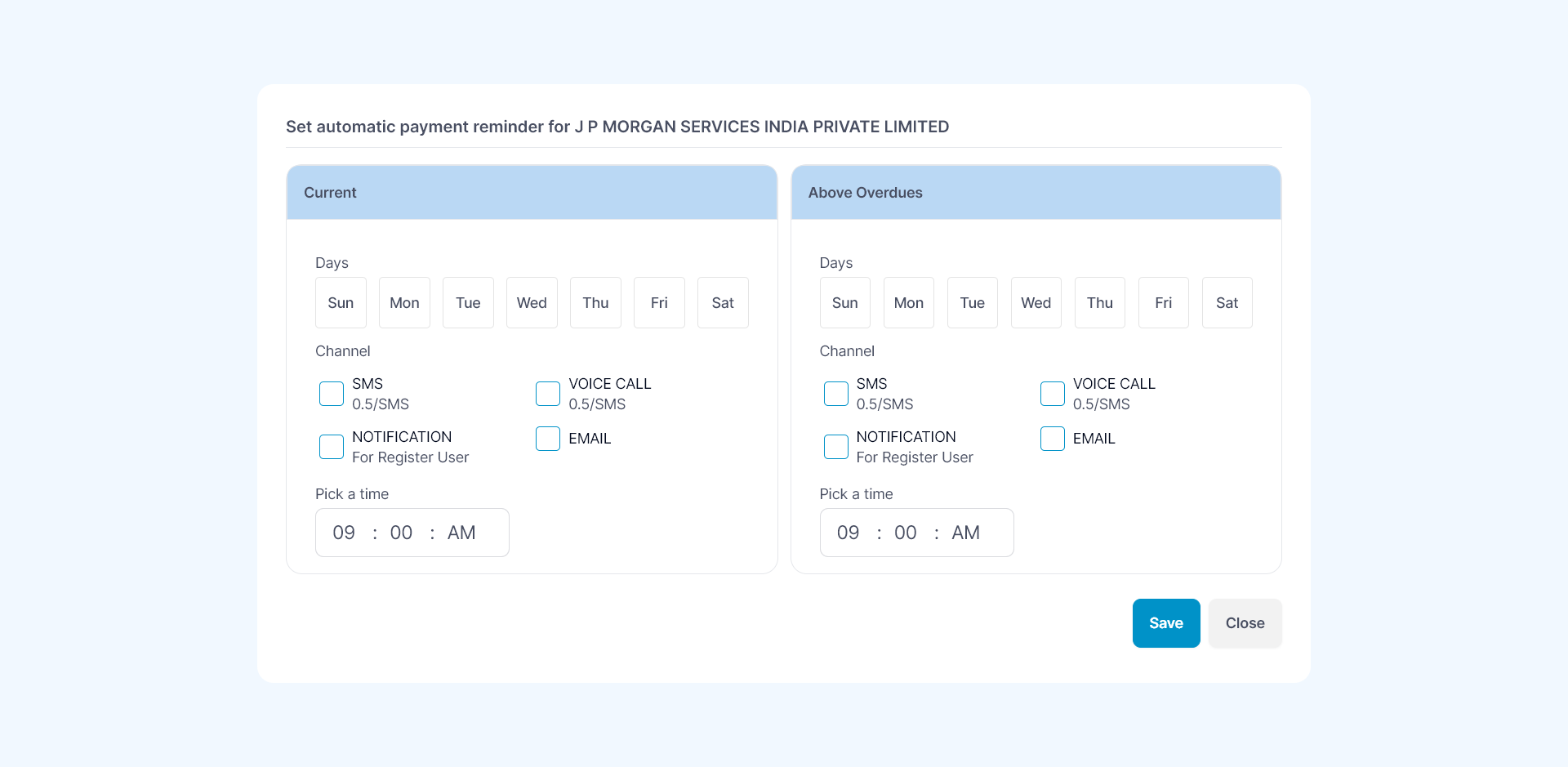
Step 6: Current - Days according you want to need accroding set auto reminder.
Step 7: Above Overdues - When your overdue status is active set auto reminder.
Step 8: Click on the Save button.
Step 1: Log in to your ReputeInfo account.
Step 2: Click on the Debtors.
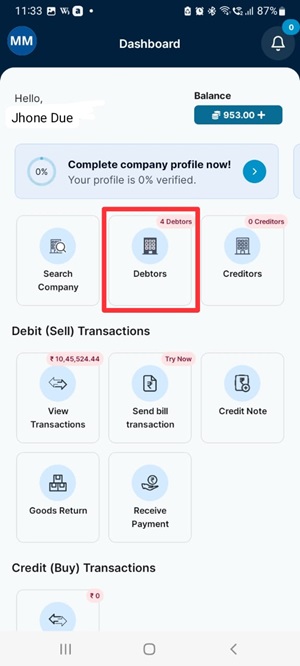
Step 3: Now,select company you want to set auto reminder.
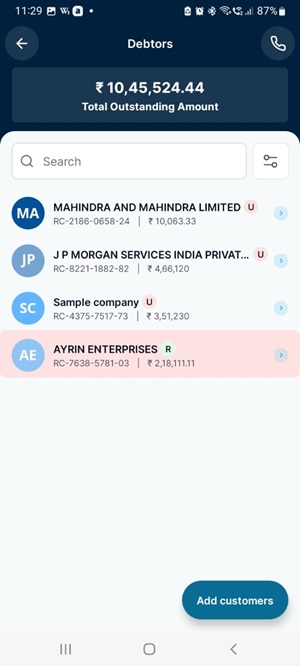
Step 4: Click on the Auto Reminder Settings option.
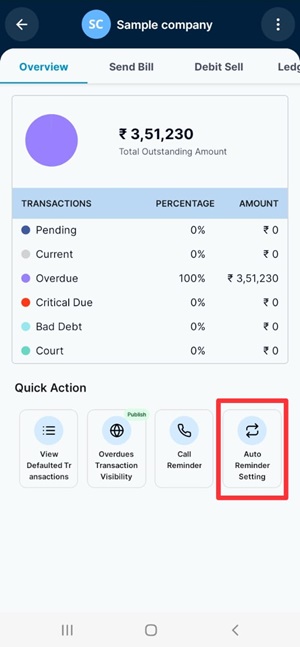
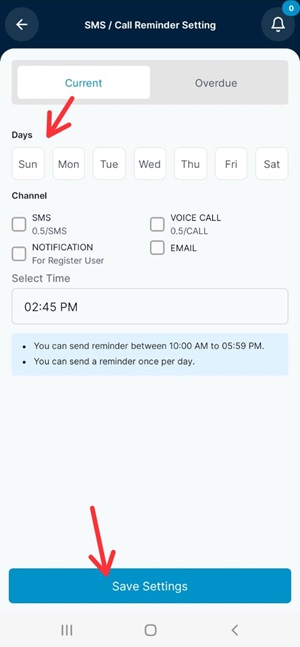
Step 5: A auto-reminder form will appear.
Step 6: Current - Days according you want to need accroding set auto reminder.
Step 7: Above Overdues - When your overdue status is active set auto reminder.
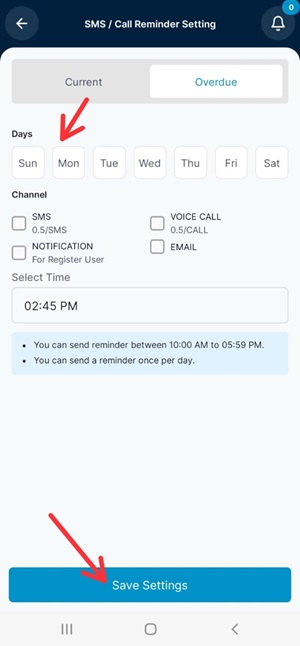
Step 8: Click on the Save Settings button.