Invoices
In the ReputeInfo Invoices section, you can view a list of all the invoices made to your company's account.
To access the Invoices section, follow these steps:
- Web
- Android/iOS
Step 1: Log in to your ReputeInfo account.
Step 2: Click on the Billing tab in the left-hand sidebar.
Step 2: Click on the Invoice tab.
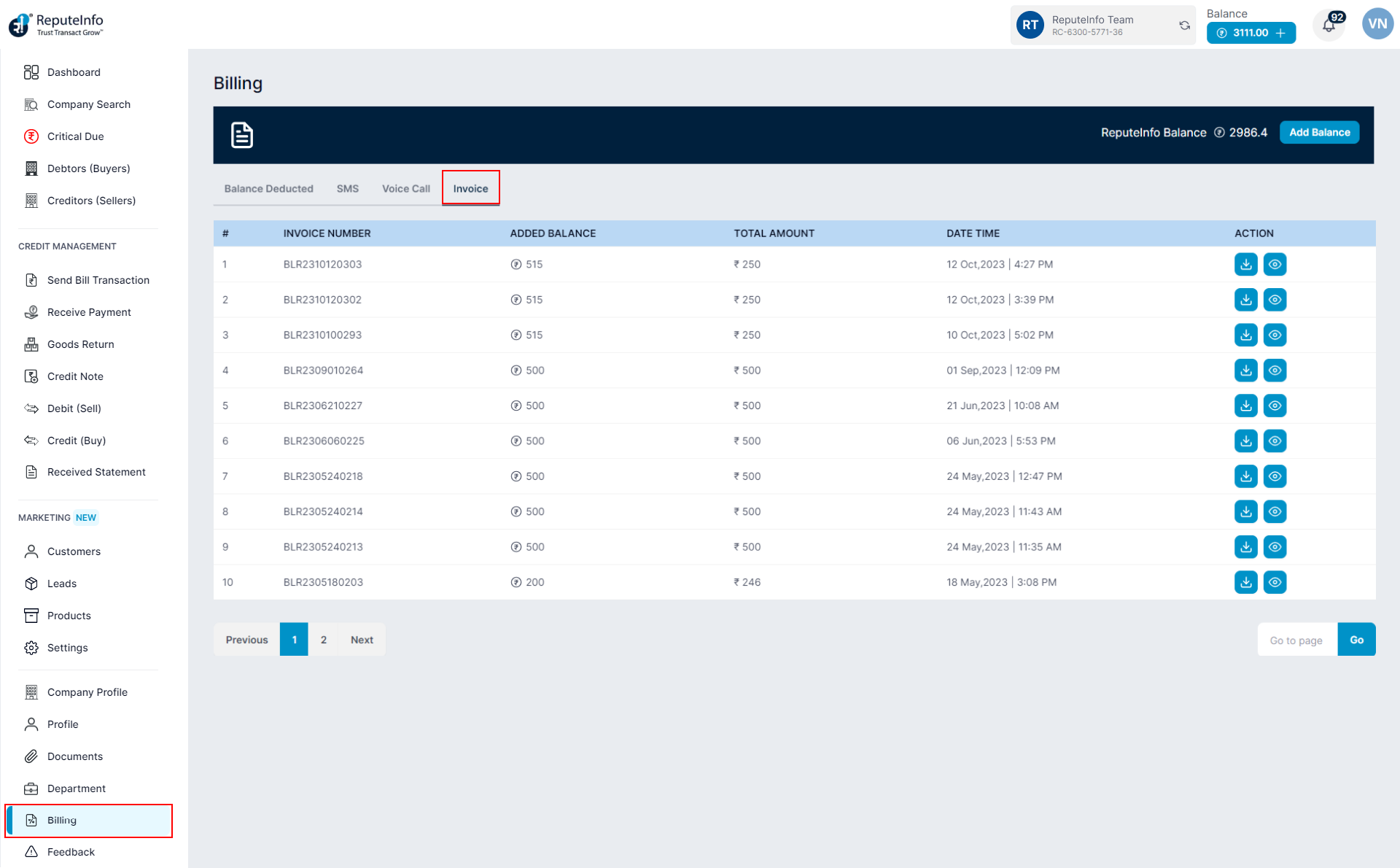
Step 1:Log in to your ReputeInfo account.
Step 2:Click on the Binlling/Invoices.
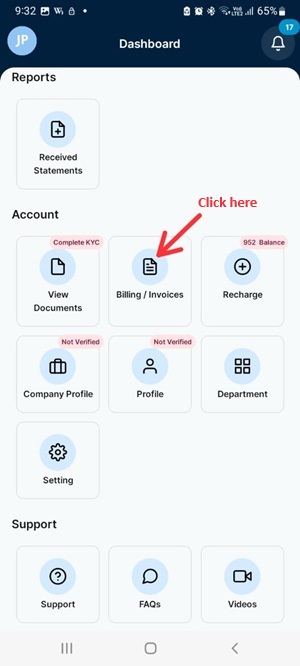
Step 3:Click on the Invoice tab.
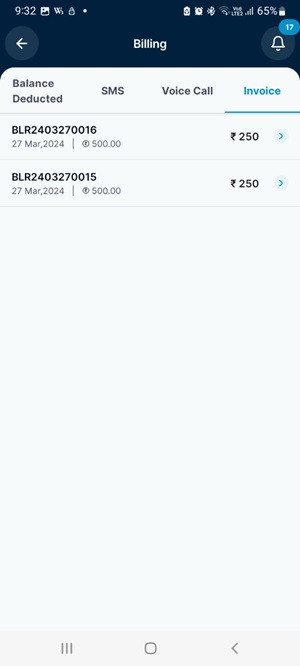
Step 4: Now, you will see Invoices.