Create New Product
- Web
- Android/iOS
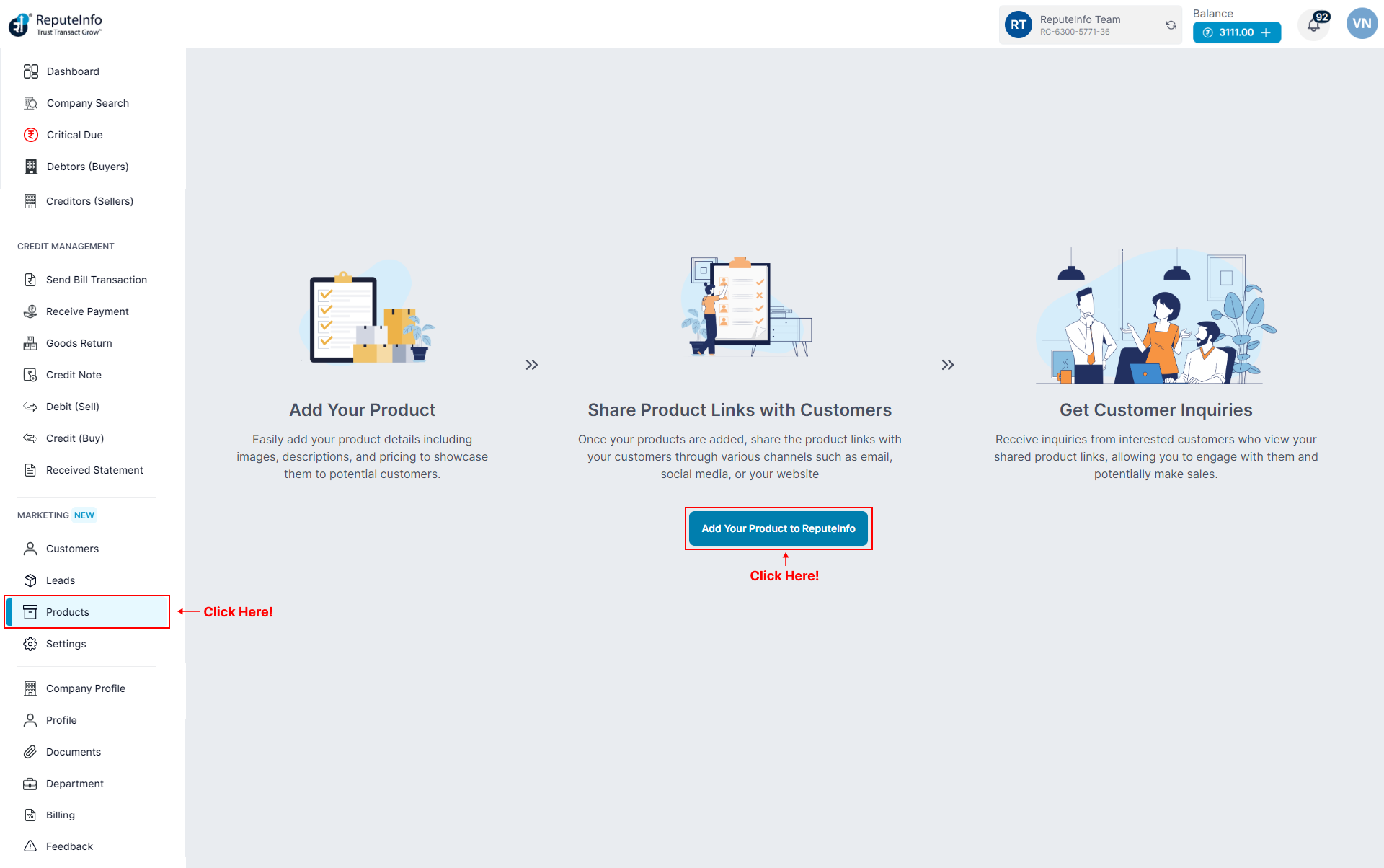
Step 1: Log in to your ReputeInfo account.
Step 2: Click on the Products tab in the left-hand sidebar.
Step 3: Now, you will see Add Product button and click on.
Step 4: A form will appear.
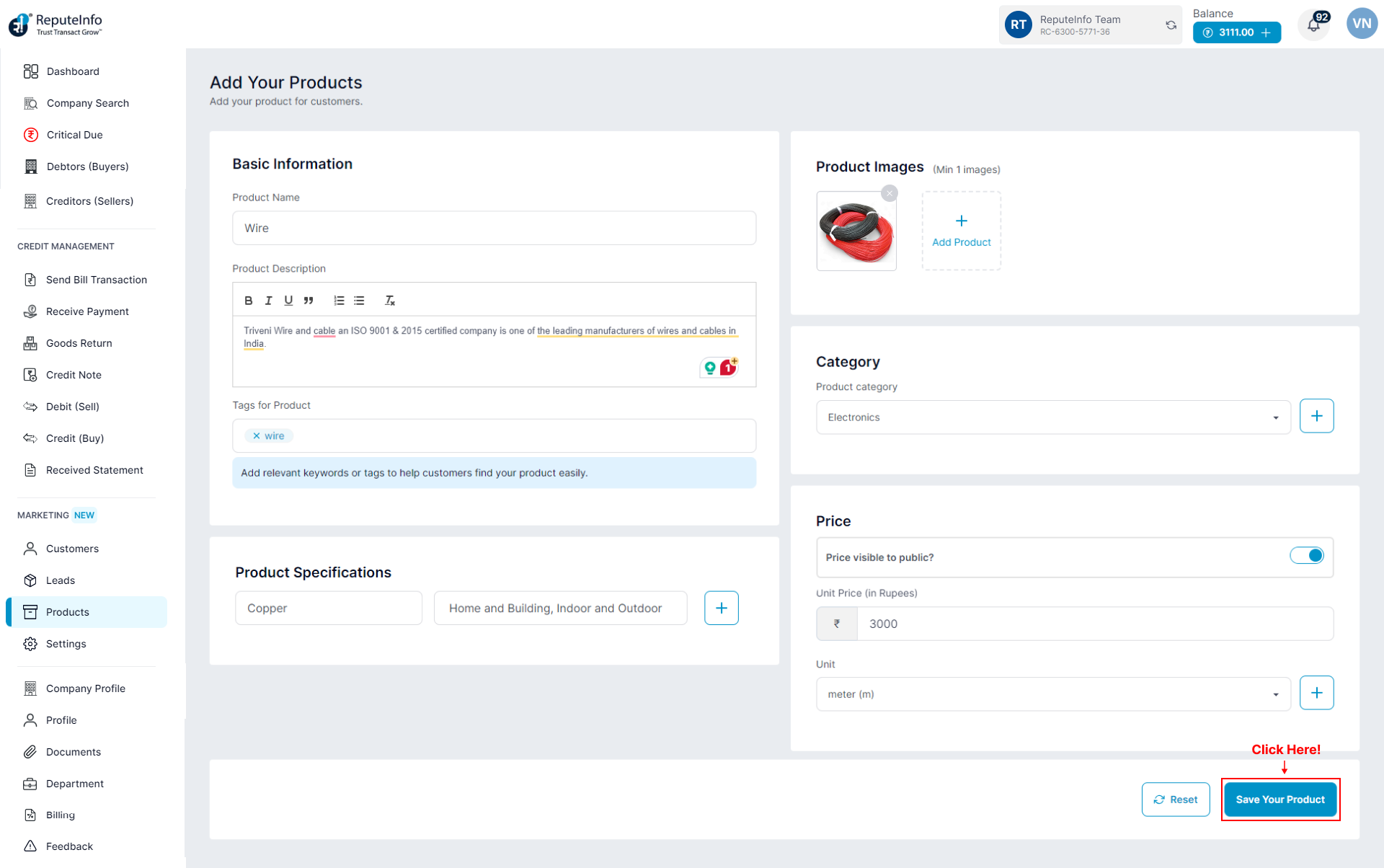
Step 5: Fill the form and product details.
Step 6: Click on the Save Your Product button.