Debtors
Debtors are the opposite of creditors. Essentially, it’s a term that refers to individuals, people, or entities that owe money to another entity because they were supplied with goods/services or borrowed money from an institution. Generally, debtors owe a lump sum (the debt), which is split up into monthly repayments over a predetermined period until the debt is finally paid off. Furthermore, debtors may need to pay interest on the original value of the loan.
Add New Debtor
- Web
- Android/iOS
Step 1: Log in to your ReputeInfo account.
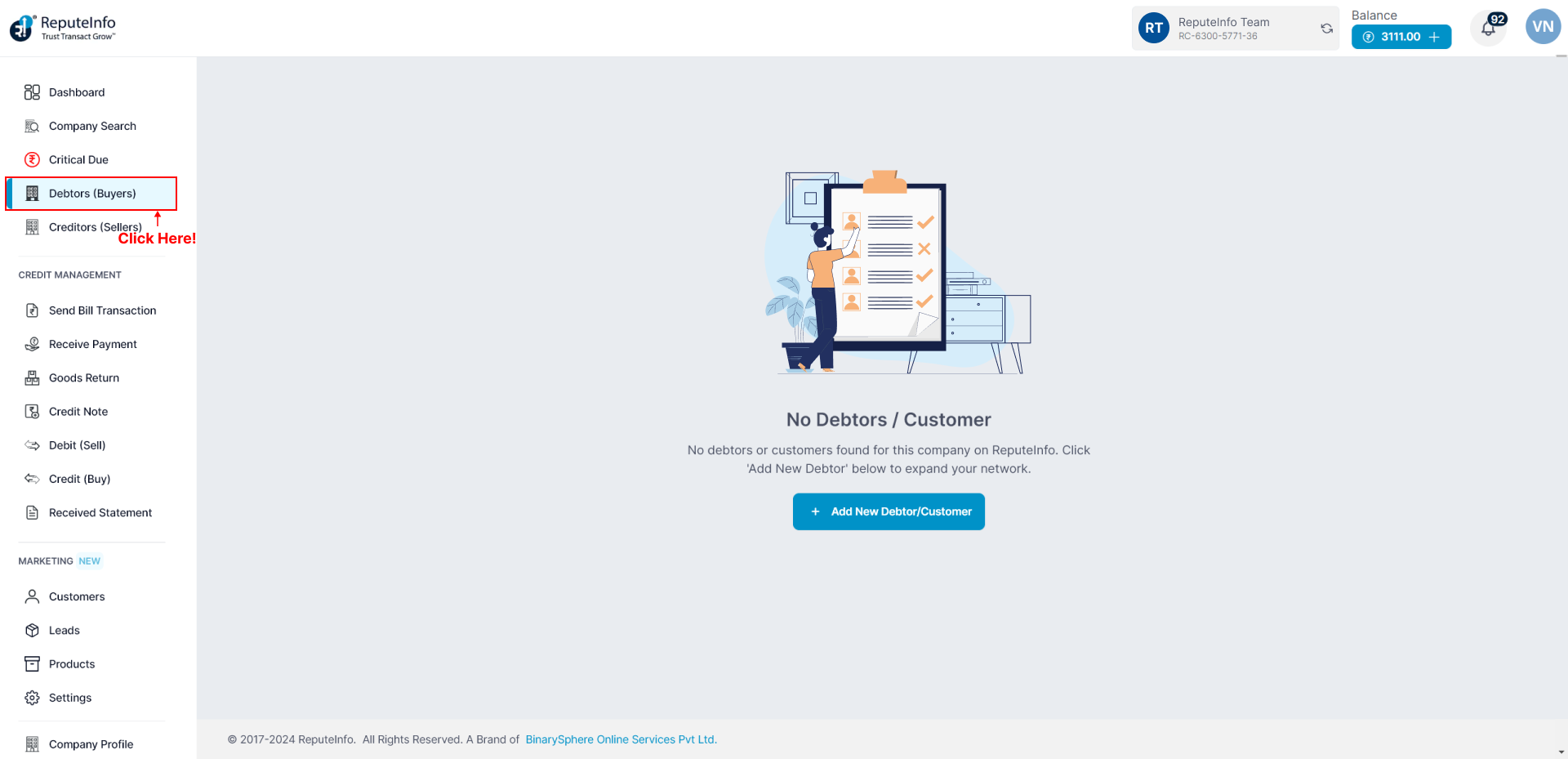
Step 2: Click on the Debtors (Buyers) tab in the left-hand sidebar.
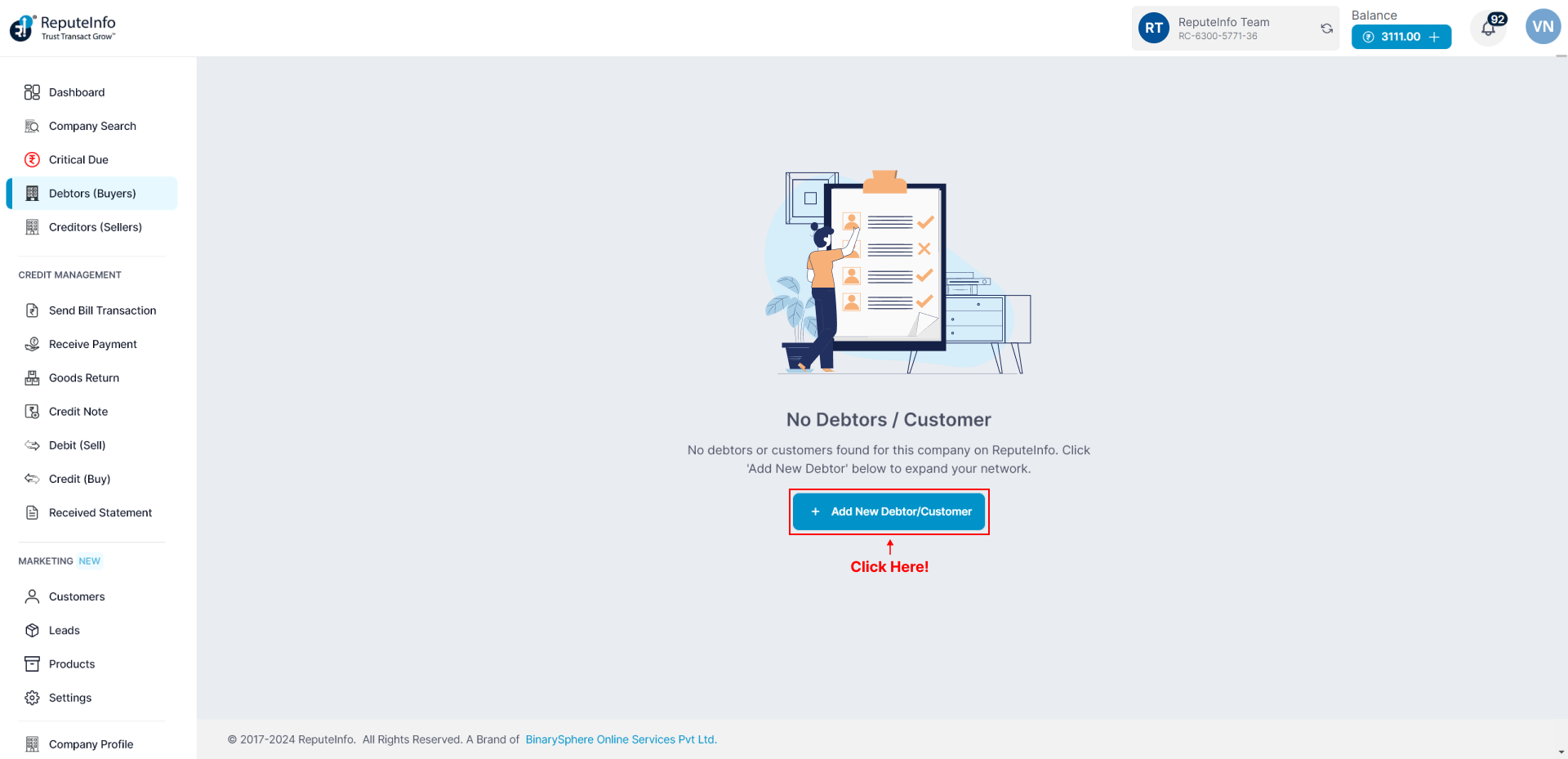
Step 3: Click on the Add New Debtor/Customer button.
Step 4: Click on the GST or PAN button next to the type number of you want to add Debtor.
Step 5: A form will appear.
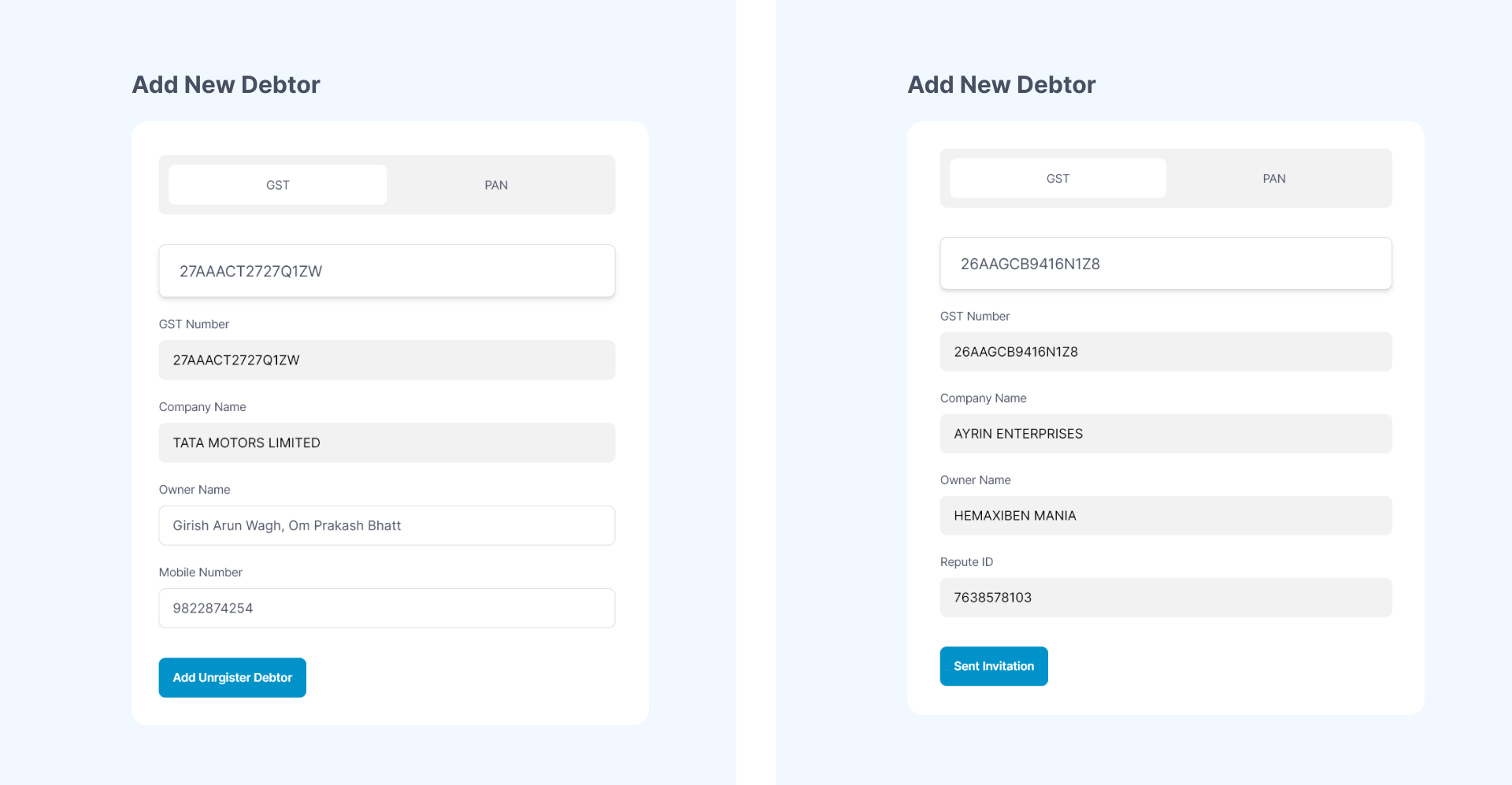
Step 6: If GST or PAN number is not register on ReputeInfo plateform you can fill debtor detail and Add Unrgister Debtor.
Step 7: If GST or PAN number is register on ReputeInfo plateform Sent Invitation.
Step 8: Register deptor accept your Invitation then you can continue transaction oprations and etc.
Step 1: Log in to your ReputeInfo account.
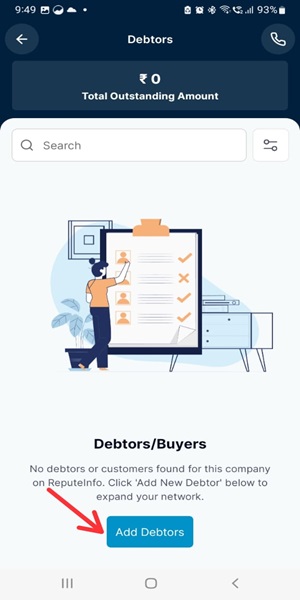
Step 2: Click on the Debtors button.
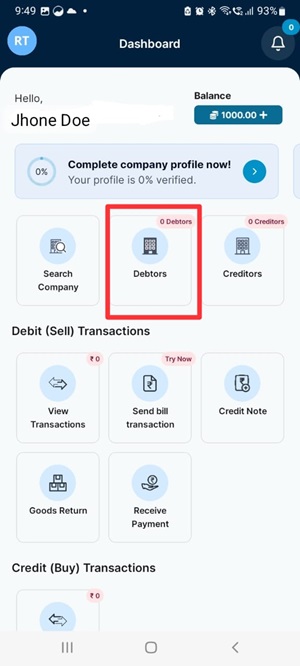
Step 3: Click on the Add Debtors button.
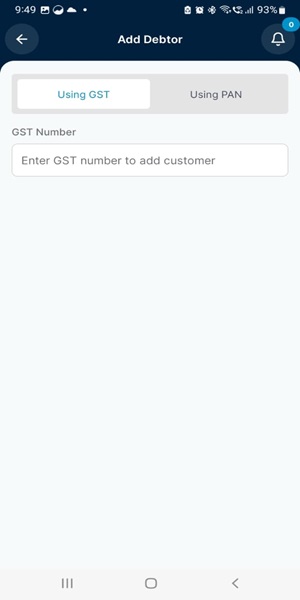
Step 4: Click on the GST or PAN button next to the type number of you want to add Debtor.
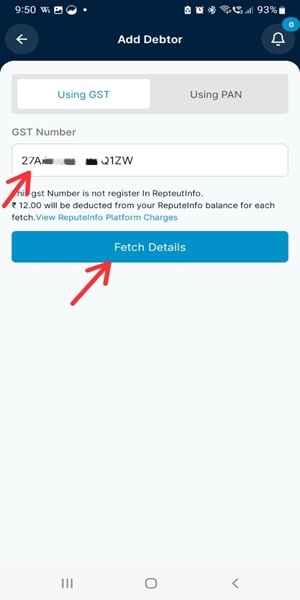
Step 6: If GST or PAN number is not register on ReputeInfo plateform you can fill debtor detail and Add Unrgister Debtor.
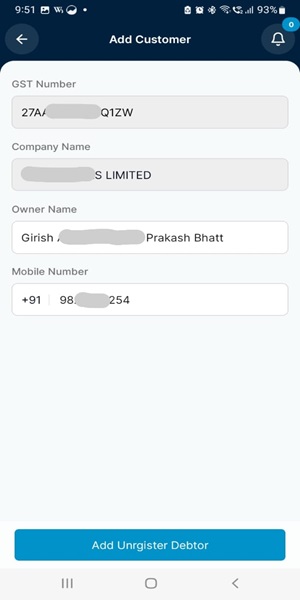
Step 7: If GST or PAN number is register on ReputeInfo plateform Sent Invitation.
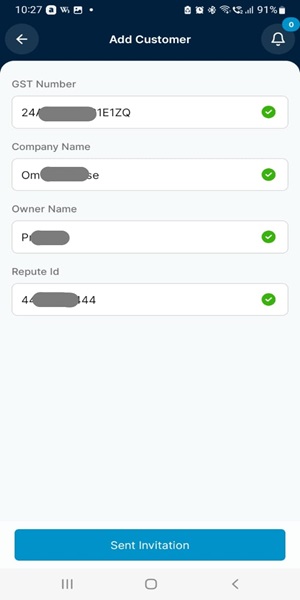
Step 8: Register deptor accept your Invitation then you can continue transaction oprations and etc.
Send Bill Transaction
You can easily send invoices and bills to facilitate transparent and efficient business transactions.
You can see the how to send bill transaction Here.
View Debtors List
Track and manage outstanding debts from your customers.
They cover specific situations or statuses for some of our payment methods.
- Web
- Android/iOS
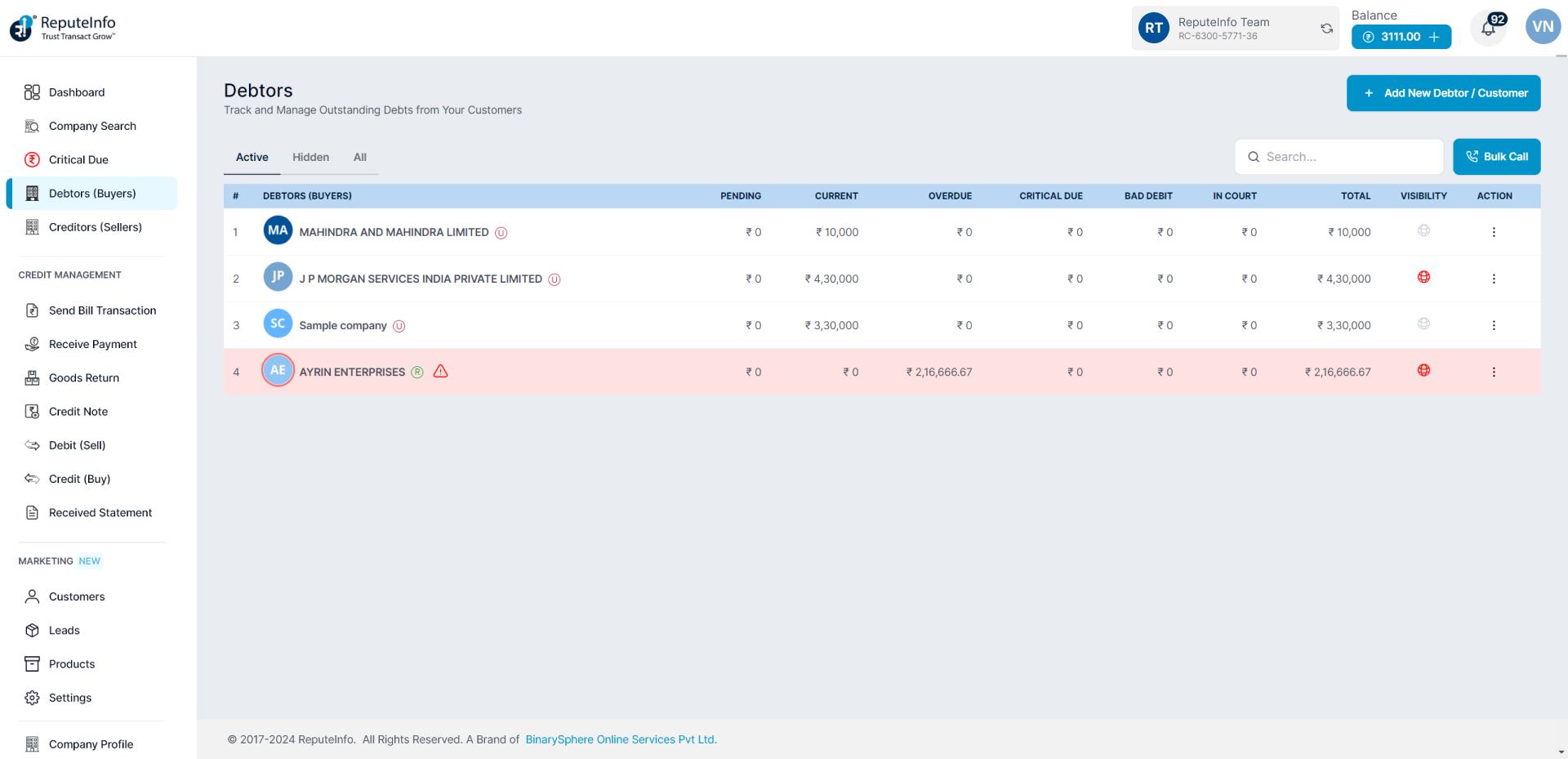
Step 1:Log in to your ReputeInfo account.
Step 2:Click on the Debtors.
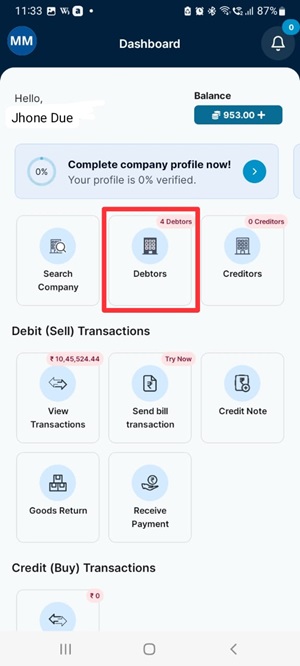
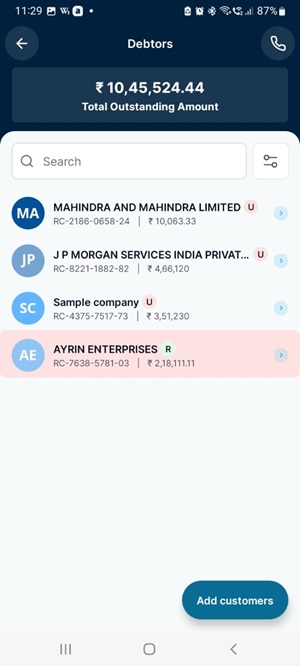
Step 3: Now, you will see the debtors.
Publish to public
Your customer overdues transactions view if visibilty will be Reputeinfo Platefor for other person.
Here is how you can publish in Reputeinfo:
- Web
- Android/iOS
Step 1: Log in to your ReputeInfo account.
Step 2: Click on the Debtors (Buyers) tab in the left-hand sidebar.
Step 3: Deptor of person you want to call, click on the action ⋮ icon.
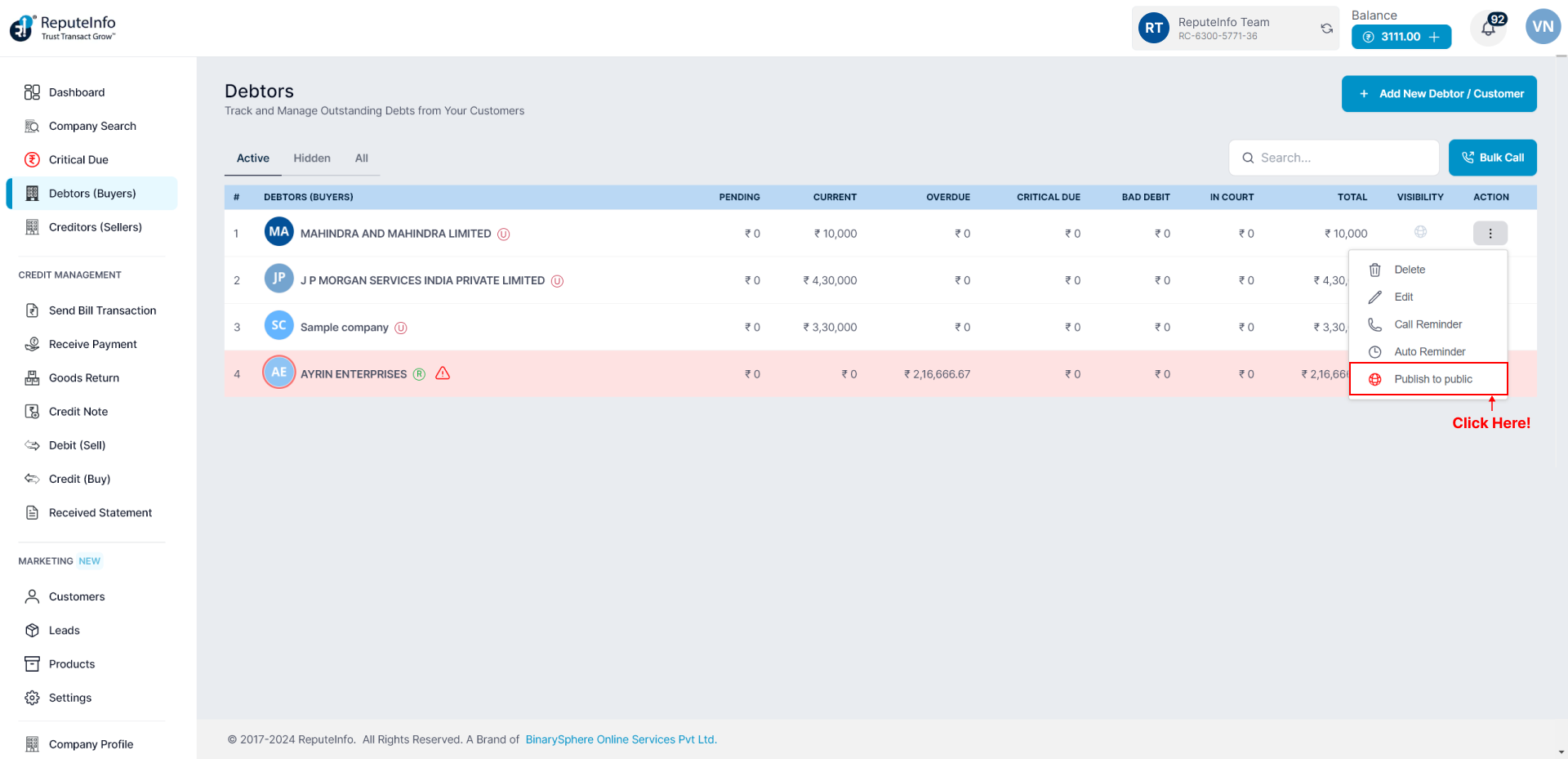
Step 4: Click on the Publish to public option.
Step 1: Log in to your ReputeInfo account.
Step 2: Click on the Debtors.
Step 3: Now,select company you want to assign Publish/Unplish.
Step 4: Click on the Overdues Transaction Visibility option.
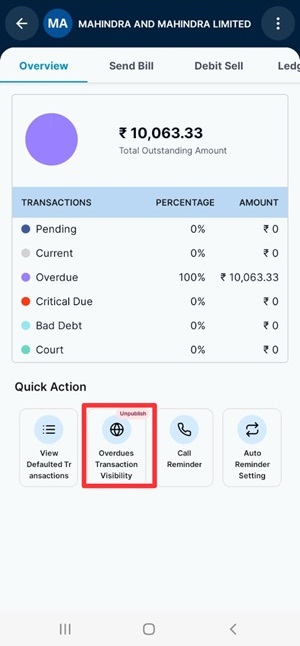
Same as Unpublish to public ,your customer overdues transactions not view if visibilty will be Reputeinfo Plateform for other person.