Call Reminder
You can easily create a reminder for your important phone calls & SMS, set it once and then forget it, this will remind you whenever you want it.
To set a call reminder in ReputeInfo, follow these steps:
- Web
- Android/iOS
Step 1: Log in to your ReputeInfo account.
Step 2: Click on the Debtors (Buyers) tab in the left-hand sidebar.
Step 3: Deptor of person you want to call, click on the action ⋮ icon.
Step 4: Click on the Call Reminder option.
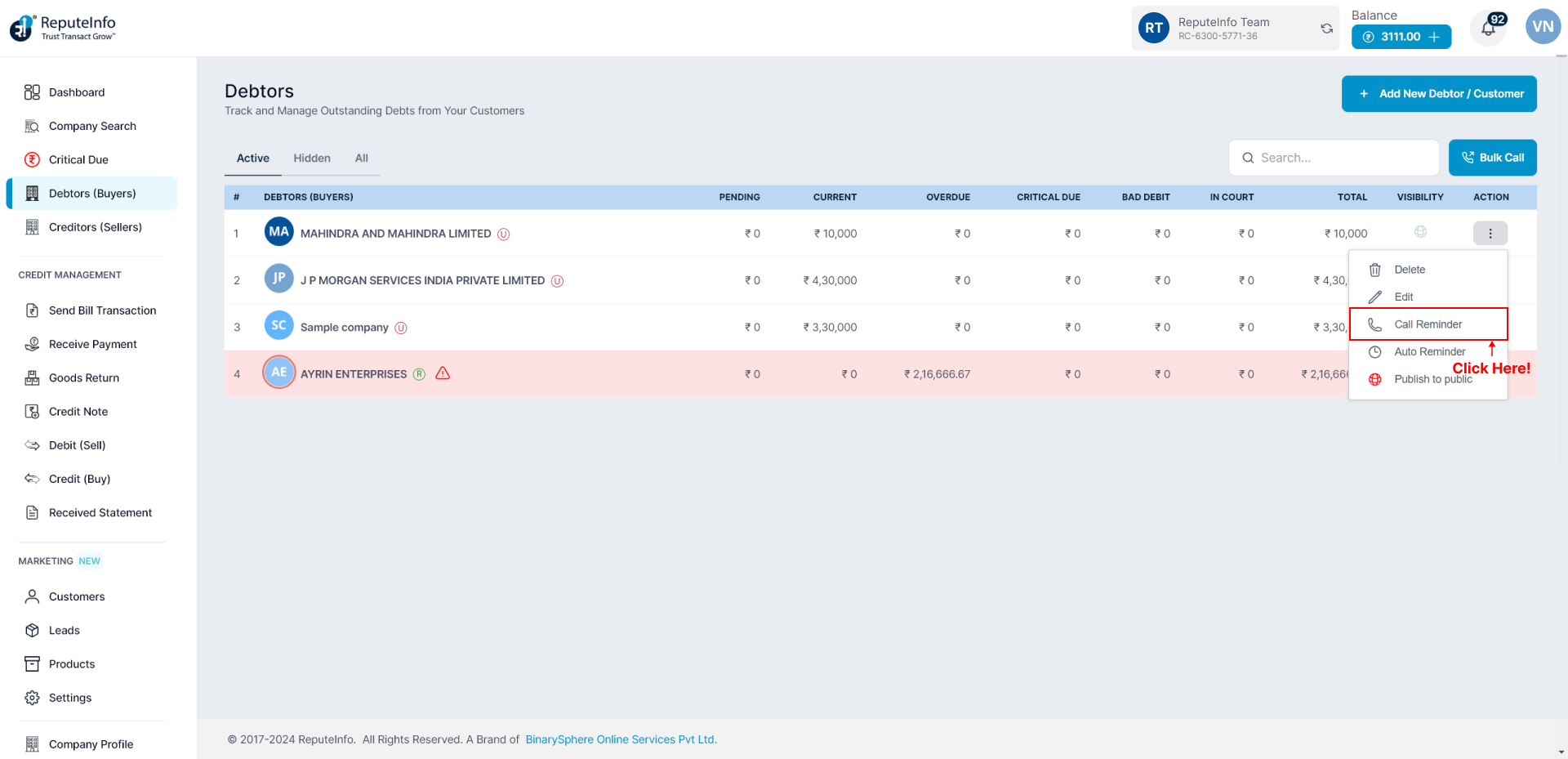
Step 5: A details will appear.
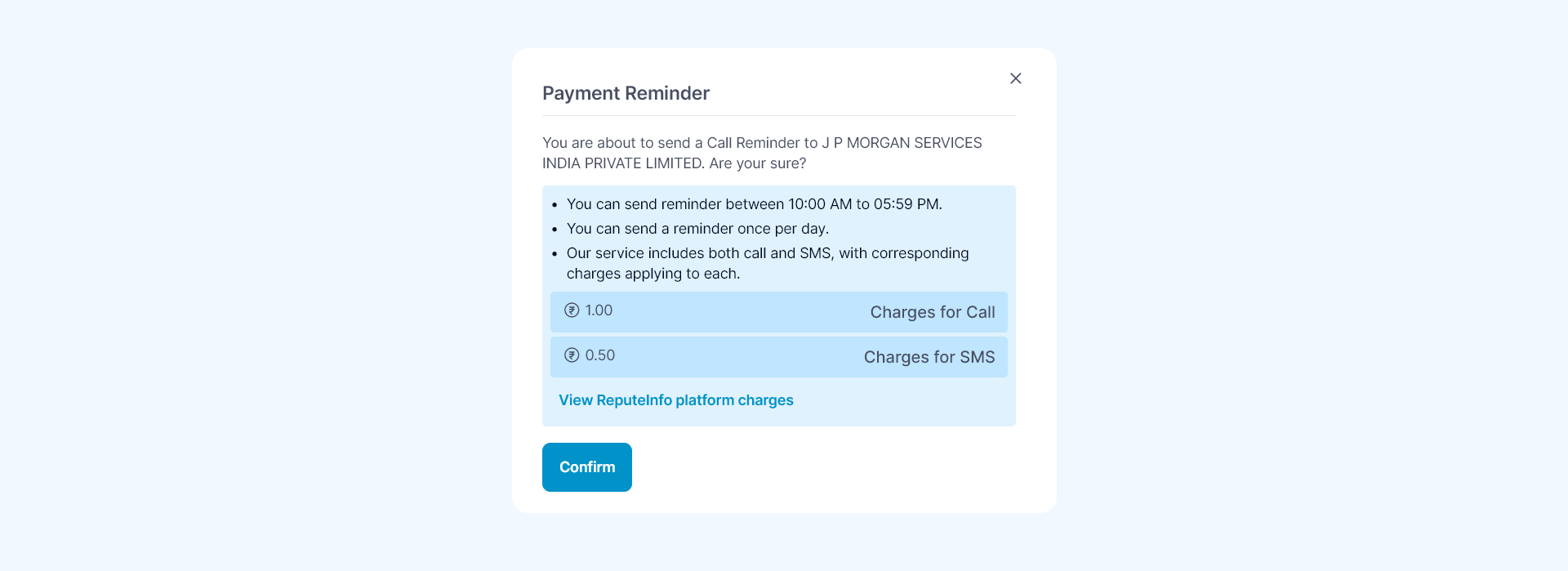
Step 6: Click on the Confirm button.
Step 1: Log in to your ReputeInfo account.
Step 2: Click on the Debtors.
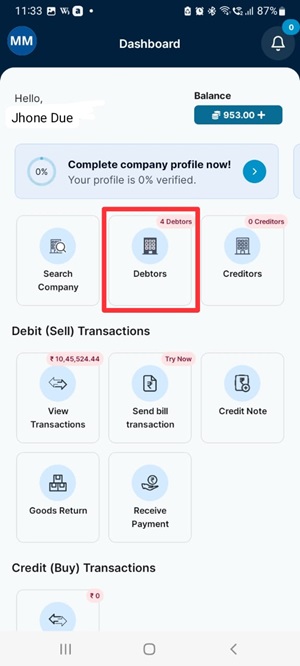
Step 3: Now,select company you want to call reminder.
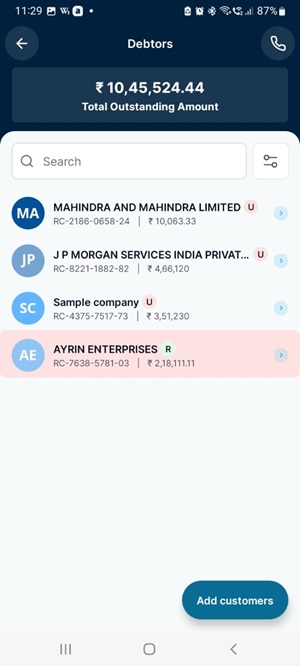
Step 4: Click on the Call Reminder option.
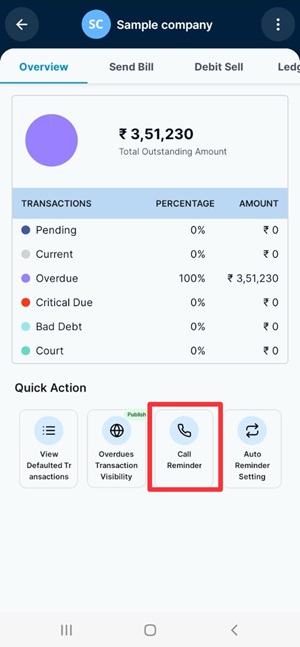
Step 5: A details will appear.
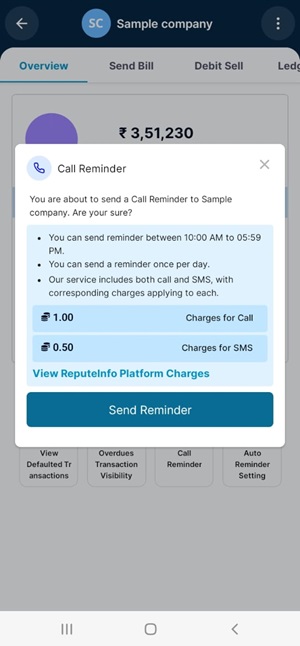
Step 6: Click on the Send Reminder button.
You can't send secound call .
Bulk Call
"One time all customer call send" could mean sending a message or making a call to all customers at once. This could be achieved through various means such as automated calling systems, mass messaging platforms, or customer relationship management (CRM) software that allows for bulk reminder.
Here is how you can publish in Reputeinfo:
- Web
- Android/iOS
Step 1: Log in to your ReputeInfo account.
Step 2: Click on the Debtors (Buyers) tab in the left-hand sidebar.
Step 3: You will see Bulk call button on Debtors (Buyers) page.
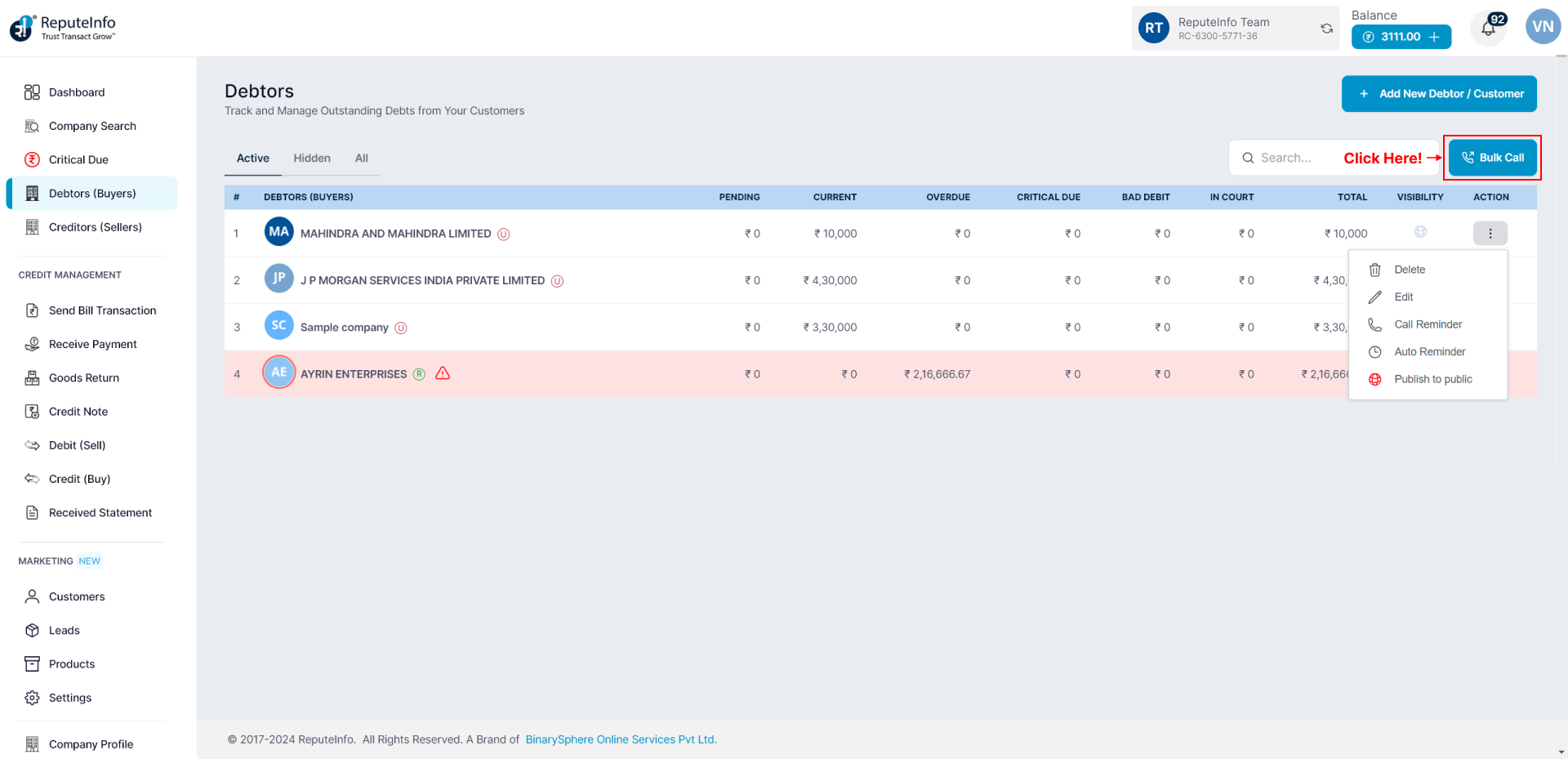
Step 3: Click on the Bulk call button.
Step 4: A form will appear.
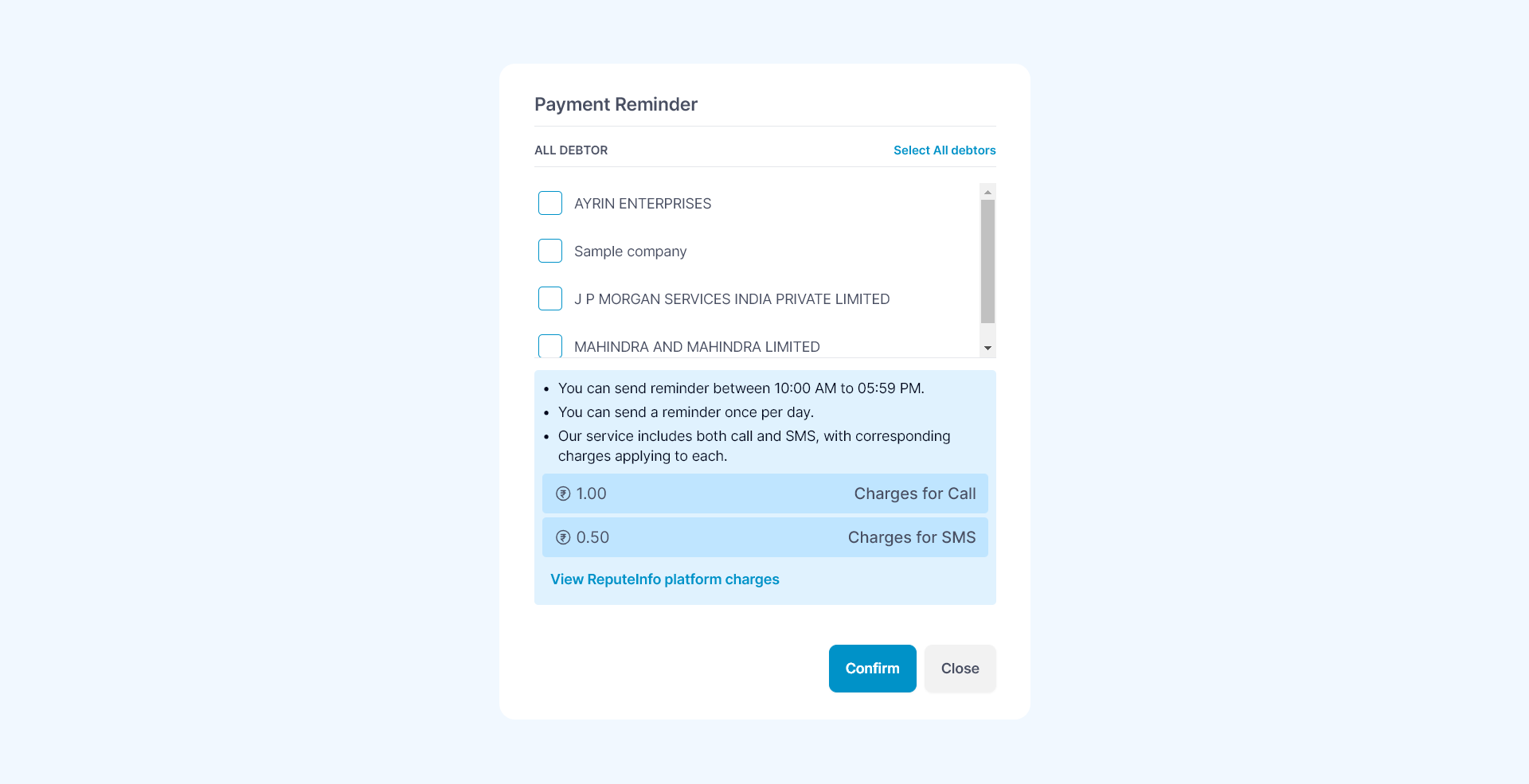
Step 5: Select deptor you want to call or select all debtors also option.
Step 6: Click on the Confirm button.
Step 1: Log in to your ReputeInfo account.
Step 2: Click on the Debtors.
Step 3: Now, you will see,call icon on top right.
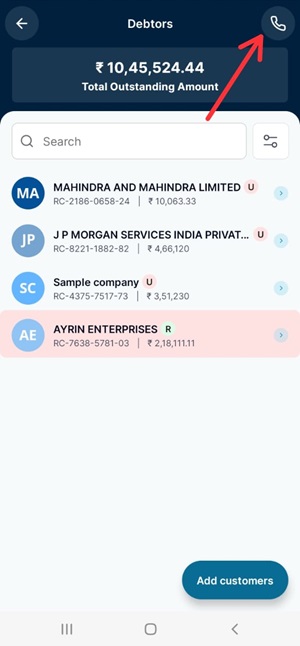
Step 3: Click on the Bulk call button.
Step 4: A form will appear.
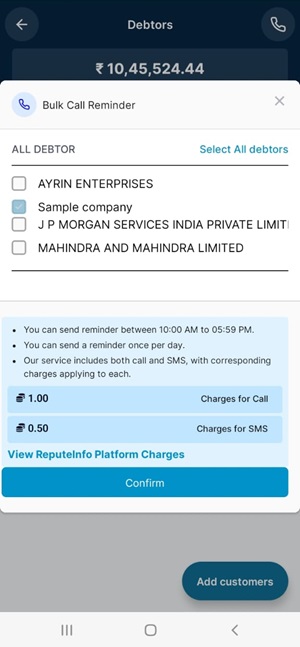
Step 5: Select deptor you want to call or select all debtors also option.
Step 6: Click on the Confirm button.
You can't send secound call .
Auto Reminder
Set up automated reminders to ensure timely payments and avoid overdues.
You can see the how to set Auto Reminder Here.