Send Bill
You can easily send invoices and bills to facilitate transparent and efficient business transactions.
Easily send invoices and bills to your customers using our platform. Manage your bills conveniently with timely reminders and automatic interest calculation based on the given credit limit. Simplify your billing process and stay organized with ReputeInfo.
Follow the simple steps for send bill:
- Web
- Android/iOS
Step 1: Log in to your ReputeInfo account.
Step 2: Click on the Send Bill Transaction tab in the left-hand sidebar.
Step 3: A form will appear.
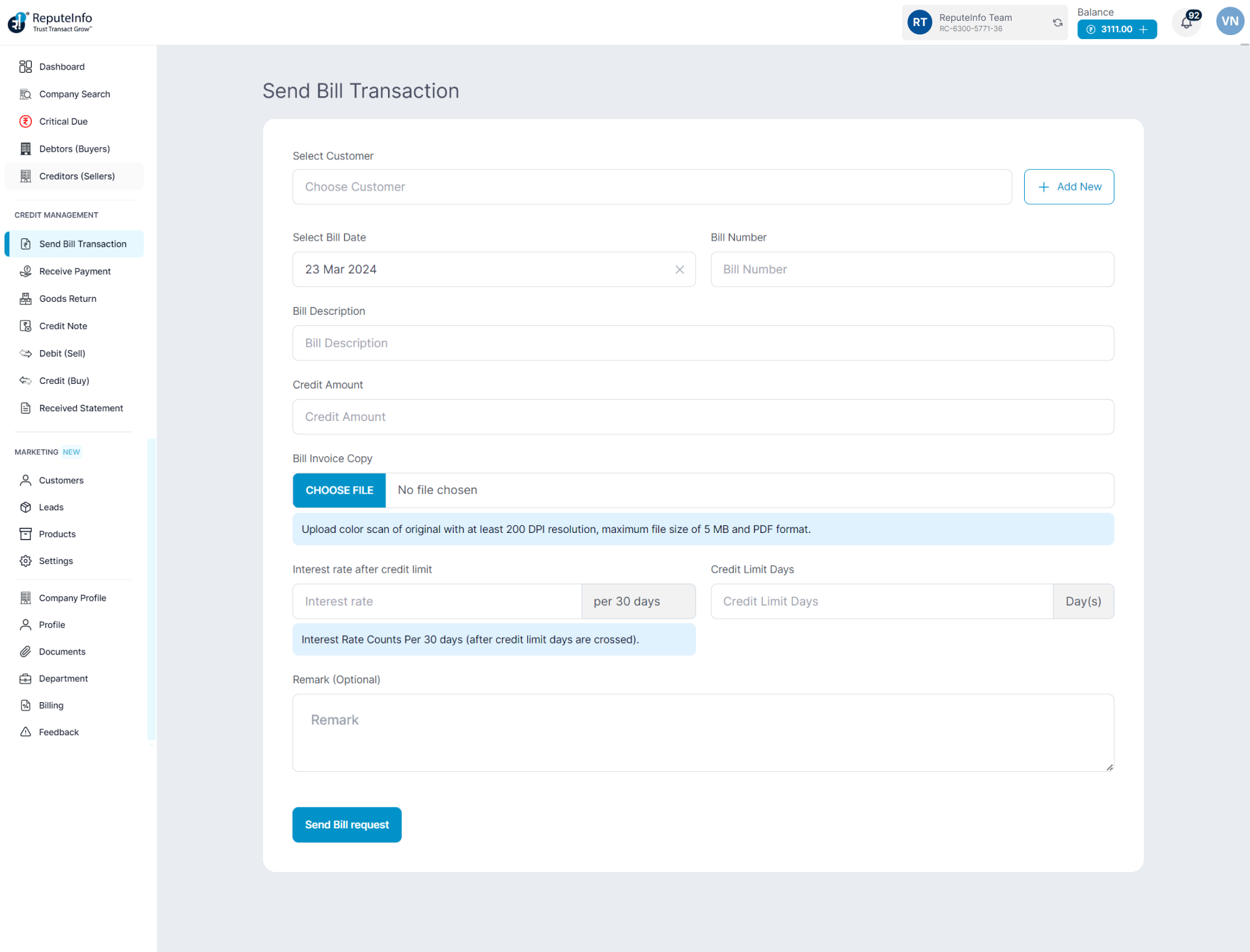
Step 4: Select debtor,if you have no deptor you can add new debtor.
Step 5: Fill the form and a brief description and billing details.
Step 6: Click on the Send Bill request button.
Step 1: Log in to your ReputeInfo account.
Step 2: Click on the Send Bill Transaction.
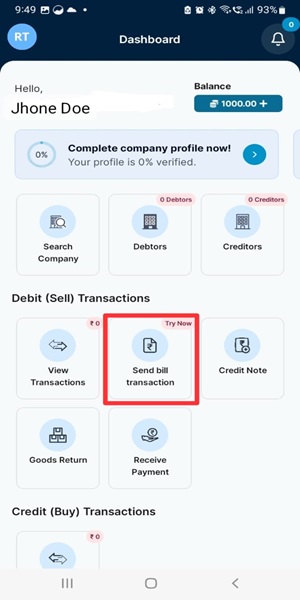
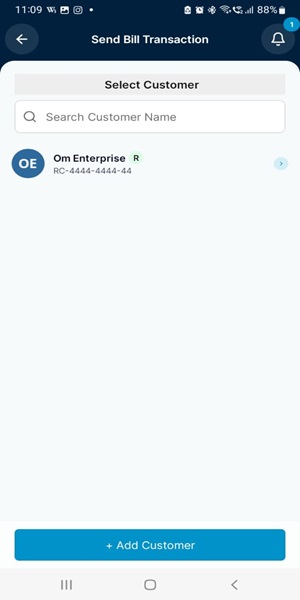
Step 3: Select debtor,if you have no deptor you can add new debtor.

Step 4: Fill the form and a brief description and billing details.
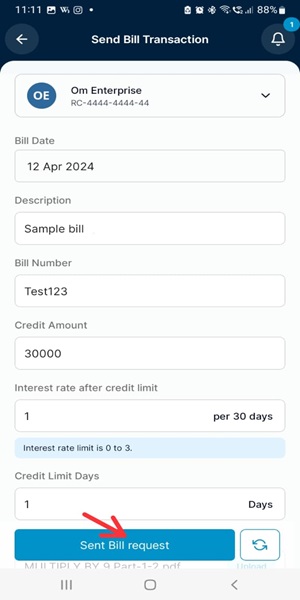
Step 5: Click on the Send Bill request button.