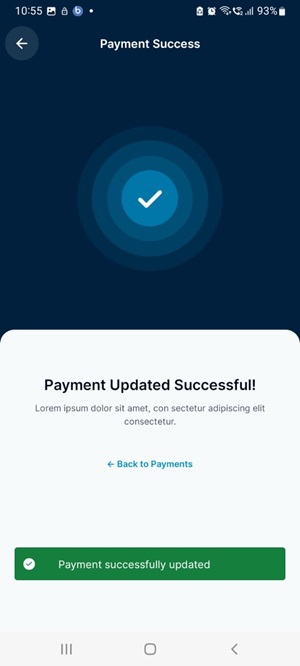
Receive Payments
This payment receipt provides a clear and accurate record of the transaction, including the date, payer's name, amount received, and payment method. It serves as an official documentation, ensuring transparency and professionalism in financial dealings, while also providing confirmation to both parties involved.
Managing Your Receive Payments
- Web
- Android/iOS
Step 1: Log in to your ReputeInfo account.
Step 2: Click on the Receive Payment tab in the left-hand sidebar.
Step 3: Select customer you want to receive payment.
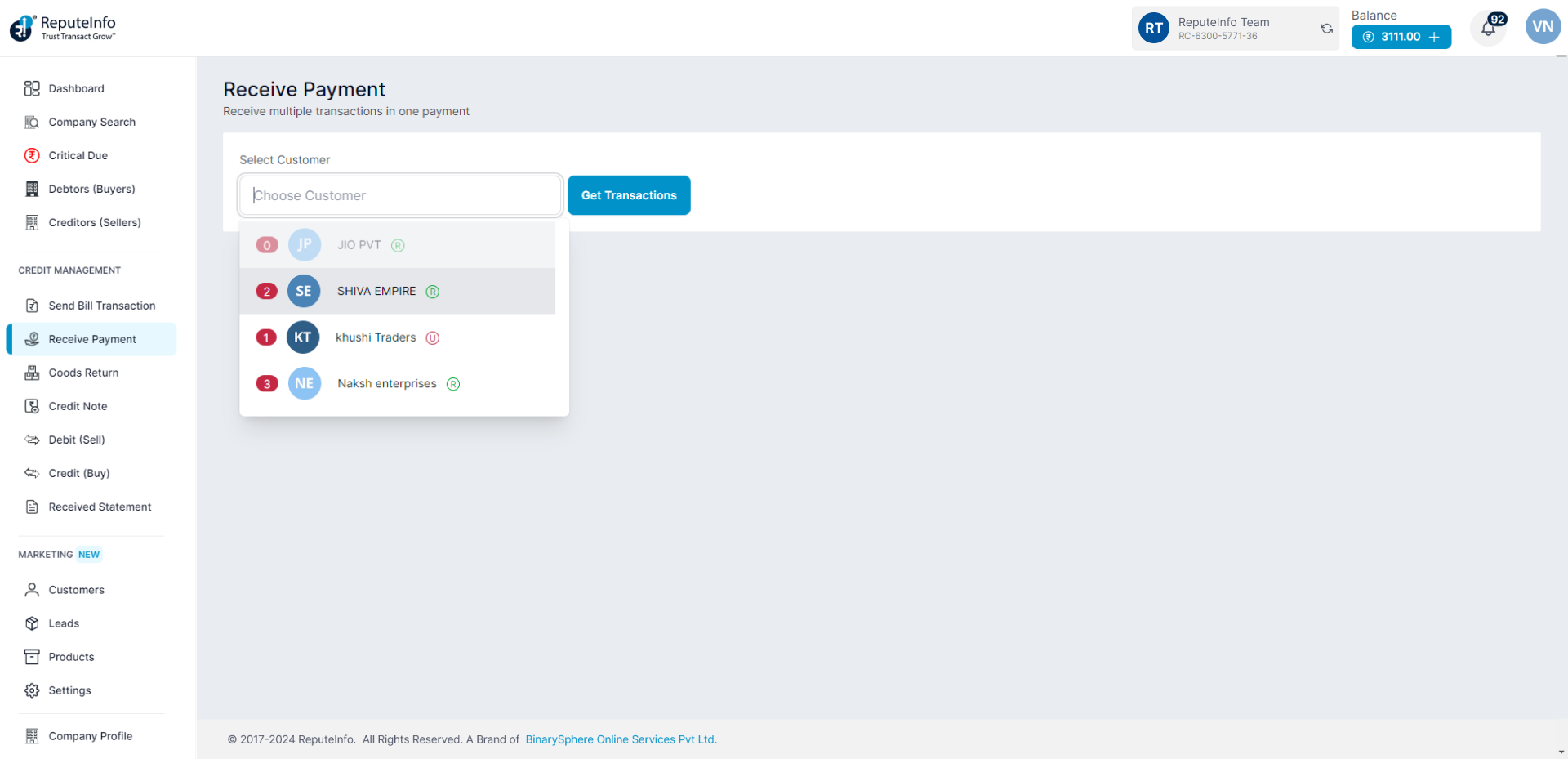
Step 4: Click on the Get Transactions button.
Step 5: A receive payment form will appear.
Step 6: Fill the form and a brief description and payment details.
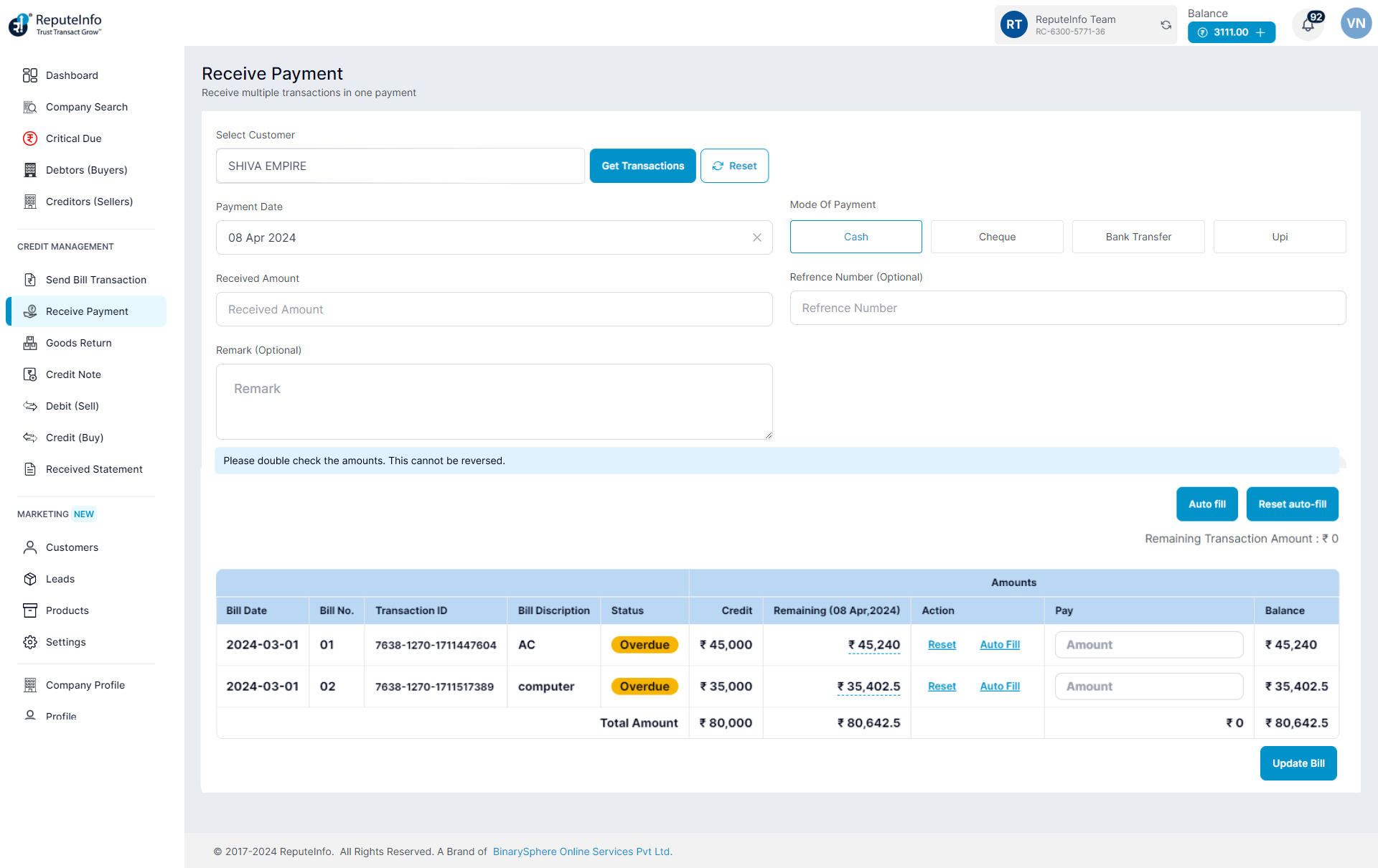
Step 7: Now, you will see the Auto fill button on the buttom of form. Click on the Auto fill button.
Step 8: Click on the Update Bill button.
Step 1:Log in to your ReputeInfo account.
Step 2:Click on the Receive Payment.
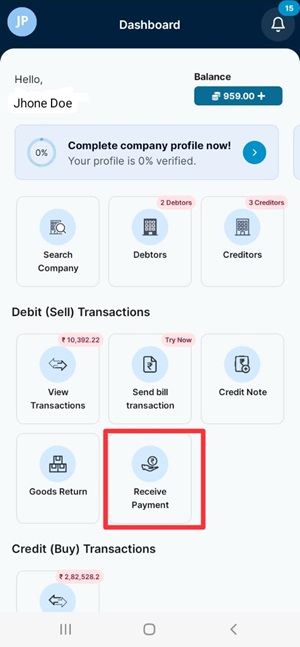
Step 3: Select company you want to receive payment.
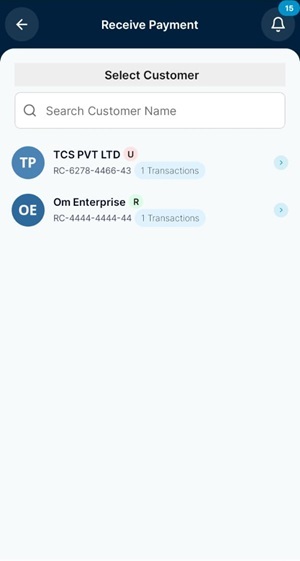
Step 5: A receive payment form will appear.
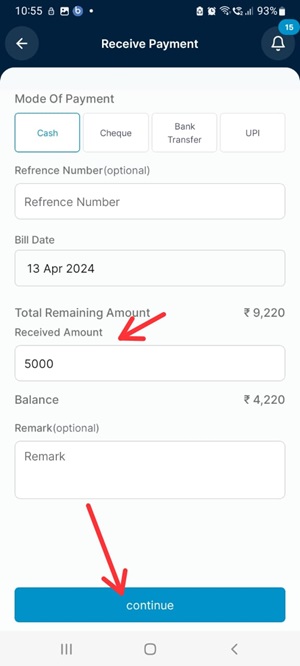
Step 6: Fill the payment details.
Step 8: Click on the Continue button.
Step 7: Now, you will see the Auto fill button on the buttom of form. Click on the Auto fill button.
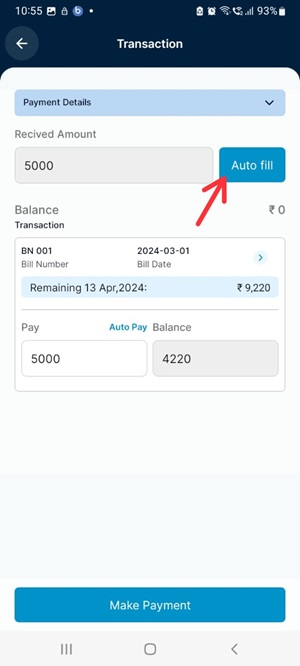
Step 8: Click on the Make payment button.