Create new company
ReputeInfo allows for create new company and easily manage customer deals.
To create a new company in ReputeInfo, follow these steps:
- Web
- Android/iOS
Step 1: Log in to your ReputeInfo account.
Step 2: Click on the Company on top menu.
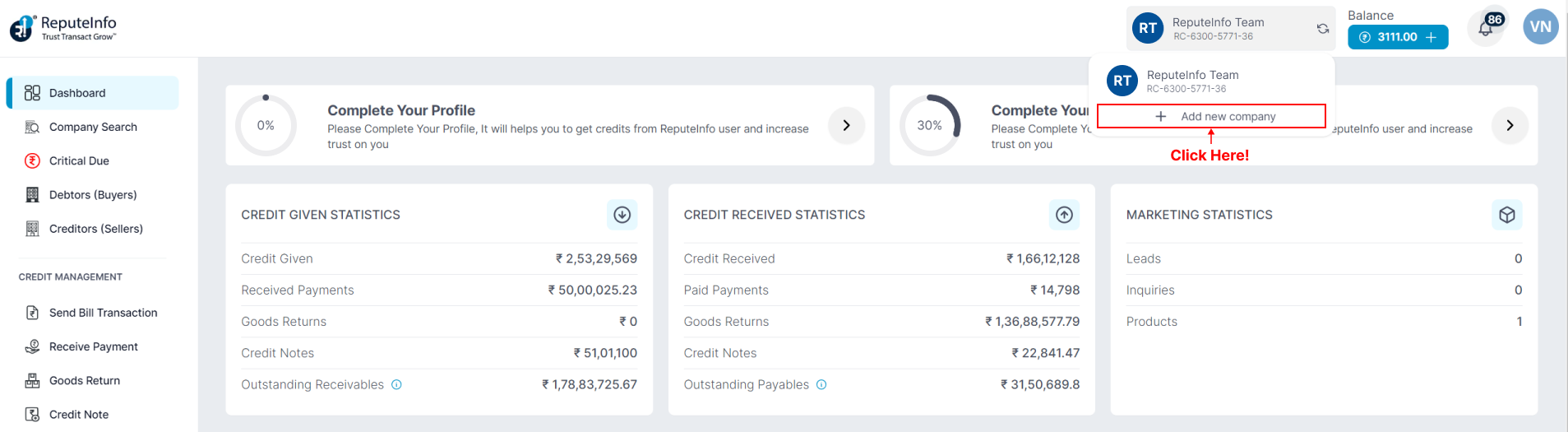
Step 3: Click on the Add new company button.
Step 4: Enter the name of the compnay,If you have a GST number, please provide along with the details.
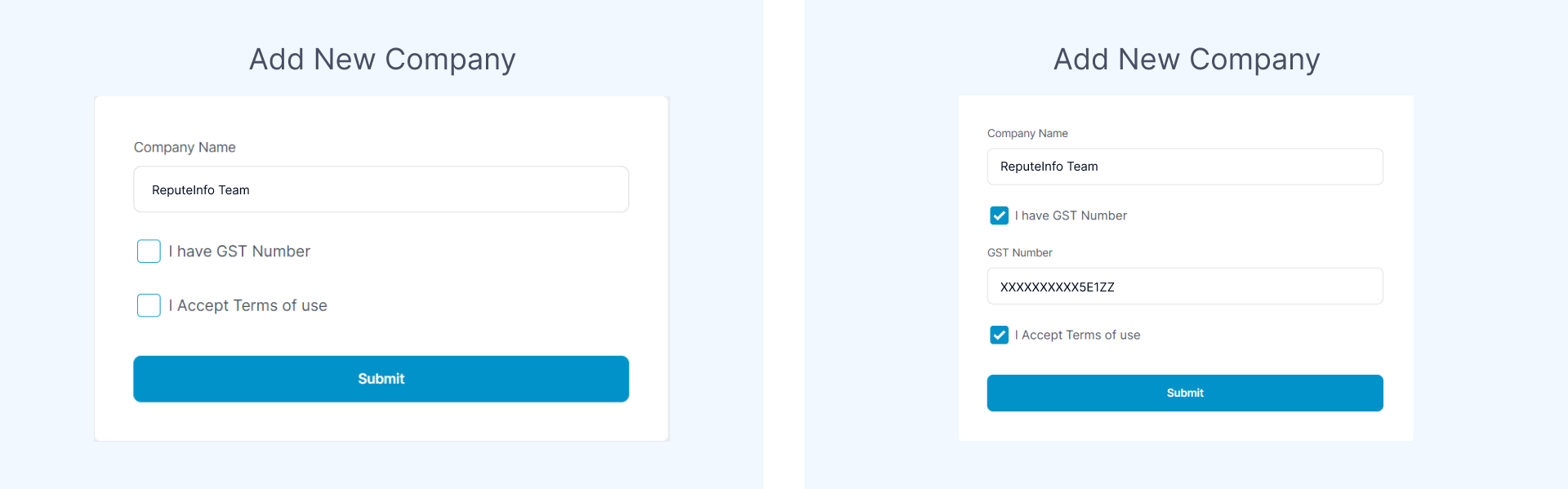
Step 5: Click on the Submit button.
Step 1: Log in to your ReputeInfo account.
Step 2: Now, you will see company logo on top, click on.

Step 3: Click on the Add new company button.

Step 4: Enter the name of the compnay,If you have a GST number, please provide along with the details.
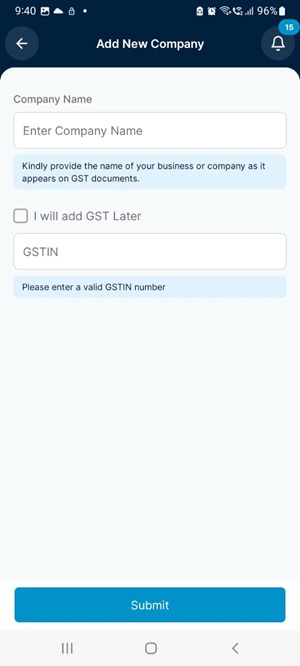
Step 5: Click on the Submit button.