Deparments
Department is responsible for managing Finance and systems in order to maximize efficiency. empowers businesses to establish and nurture customer relationships effectively. Its optimizes operations and boosts productivity.
Create Department and Role
- Web
- Android/iOS
Step 1: Login to your ReputeInfo account and navigate to your deparment.
Step 2: Click on the Deparments on Bottom Left Sidebar.
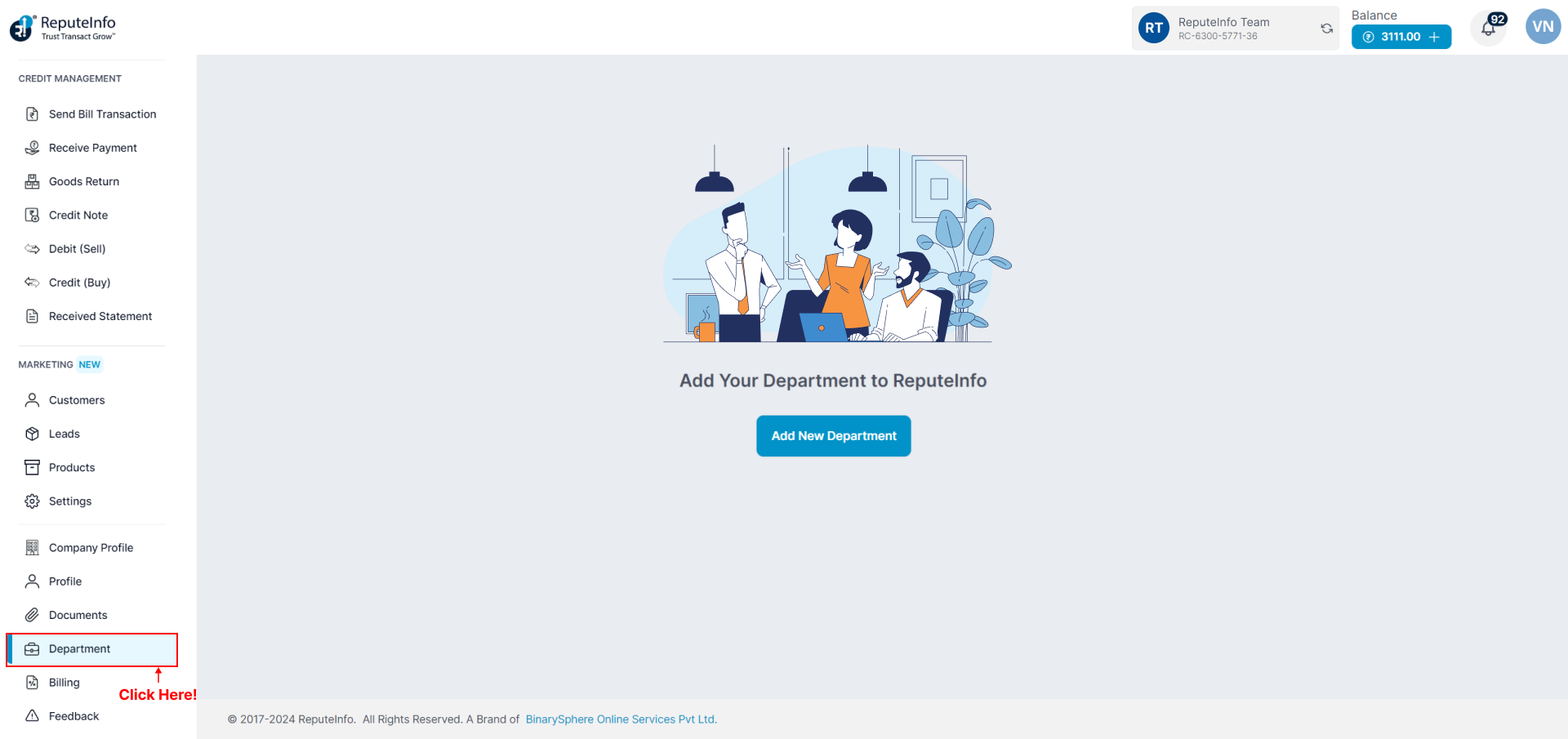
Step 3: Click on the Add New Department button.
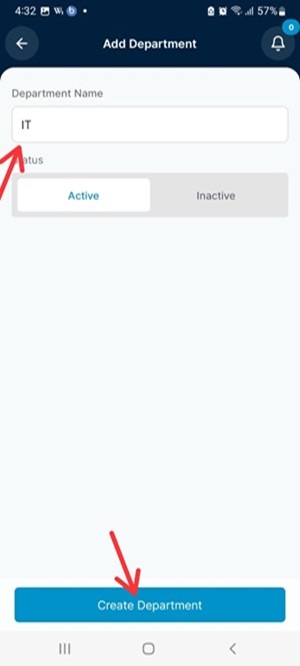
Step 4: Enter a name for the new role in the Department Name and select status field.
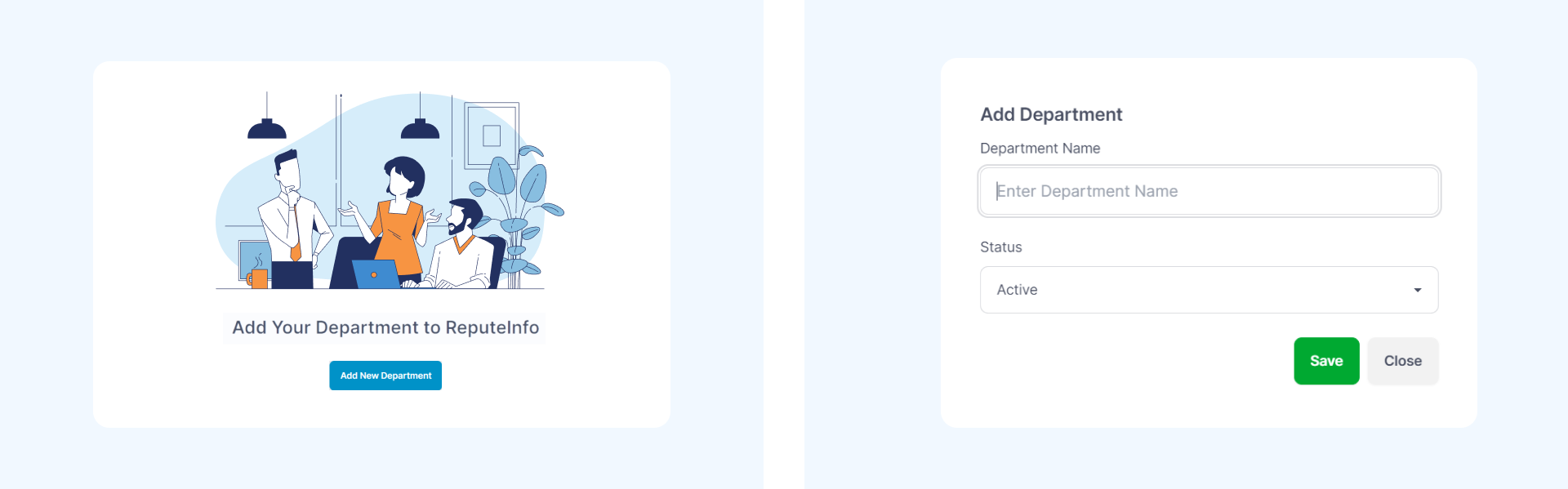
Step 4: Select the permissions for the Department from the list of available status.
Step 5: Click on the Save Save button to create the new Department.
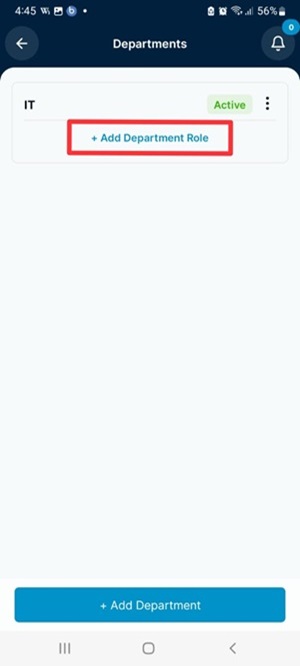
Step 6: Add Department Role.
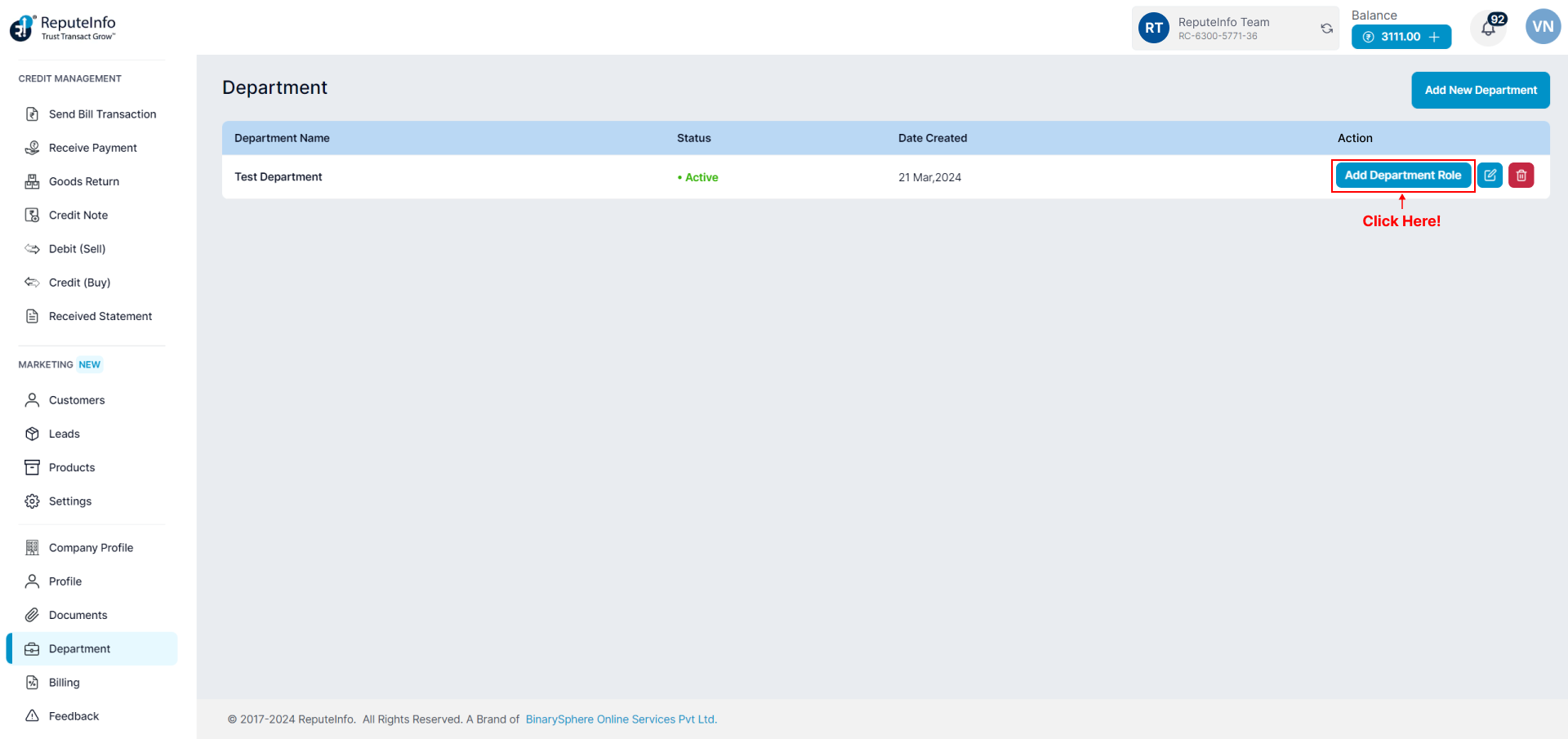
Step 7: Enter the Department Role Name and select status.

Step 8: Click on the Save button.
Step 1: Login to your ReputeInfo account.
Step 2: Click on the Deparment.
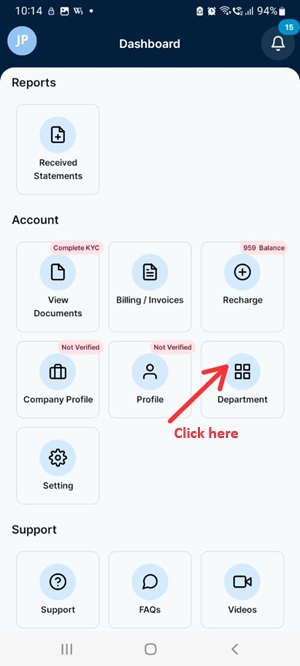
Step 3: Click on the Add New Department button.
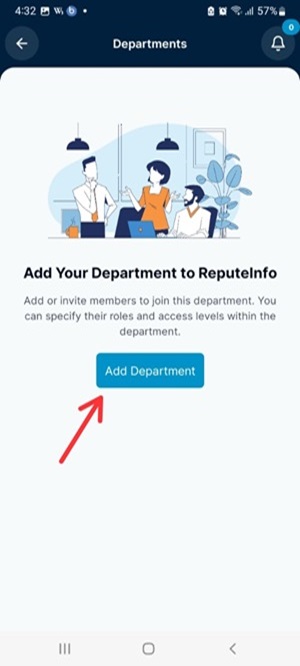
Step 4: Select the permissions for the Department from the list of available status.
Step 5: Click on the Create Department button to create the new Department.
Step 6:Now, Add Department Role.
Step 7: Enter the Department Role Name and select status.
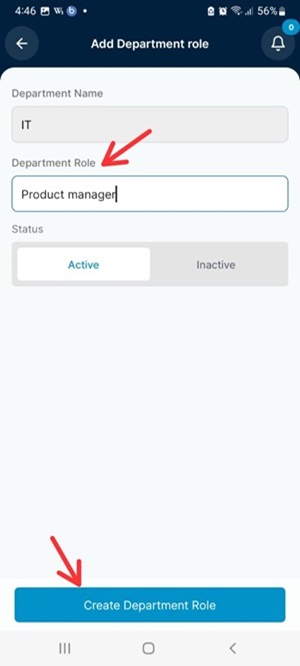
Step 8: Click on the create depatment role button.
Update Deparment
Step 1: Login to your ReputeInfo account and navigate to your department.
Step 2: Click on the Edit icon next to the department you want to modify.
Step 3: Modify the deparment name and/or status as required.
Step 4: Click on the Update button to update the department.
Delete Deparment
You cannot delete department as that's already associated on Authorized Person.
Step 1: Click on the department of you want to delete.
Step 2: Click on the Delete icon button
Step 3: Confirm the deletion by clicking on the Delete button again in the confirmation prompt.
Update Department Role
Step 1: Login to your ReputeInfo account and navigate to your department.
Step 2: Click on the Edit icon next to the Department Role you want to modify.
Step 3: Modify the Department Role name and/or status as required.
Step 4: Click on the Update button to update the Department Role.
Delete Department Role
You cannot delete Department Role as that's already associated on Authorized Person.
Step 1: Click on the Department Role of you want to delete.
Step 2: Click on the Delete icon button
Step 3: Confirm the deletion by clicking on the Delete button again in the confirmation prompt.