Recharge
To recharge for SMS, calls, and data, it's essential to provide accurate GST (Goods and Services Tax) and PAN (Permanent Account Number) details. Ensuring compliance with tax regulations, customers must furnish their PAN for transactional transparency and GST details for tax purposes. This information enables seamless recharge transactions while adhering to legal requirements.
To add a balance to your organization, follow these steps:
- Web
- Android/iOS
Step 1: Log in to your ReputeInfo account.
Step 2: Click on the Balance on top menu.
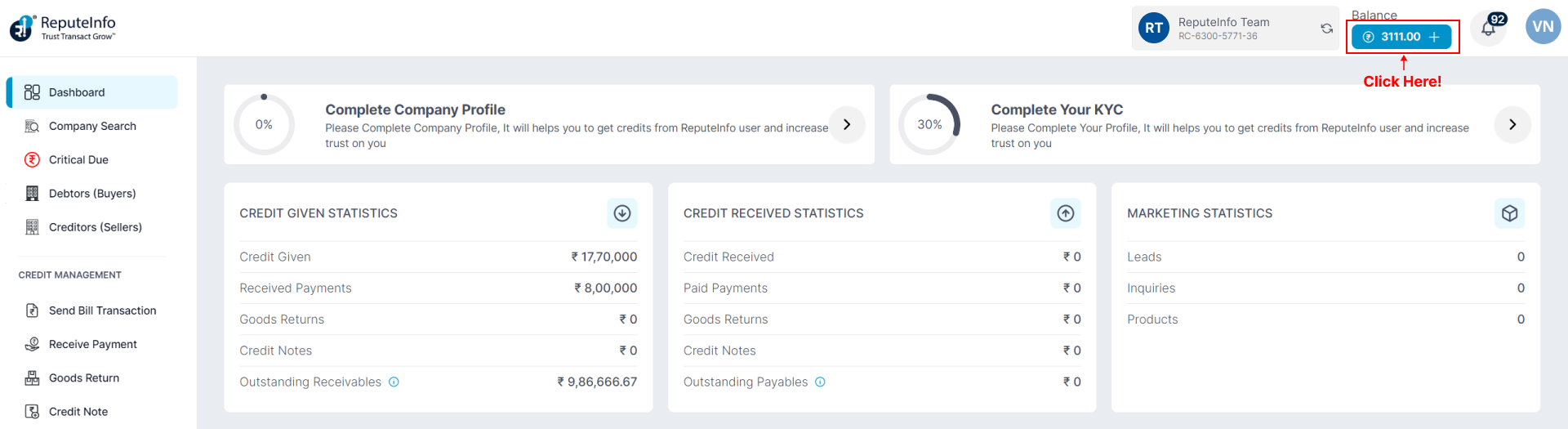
Step 3: You will see a list of all the charges for that organization
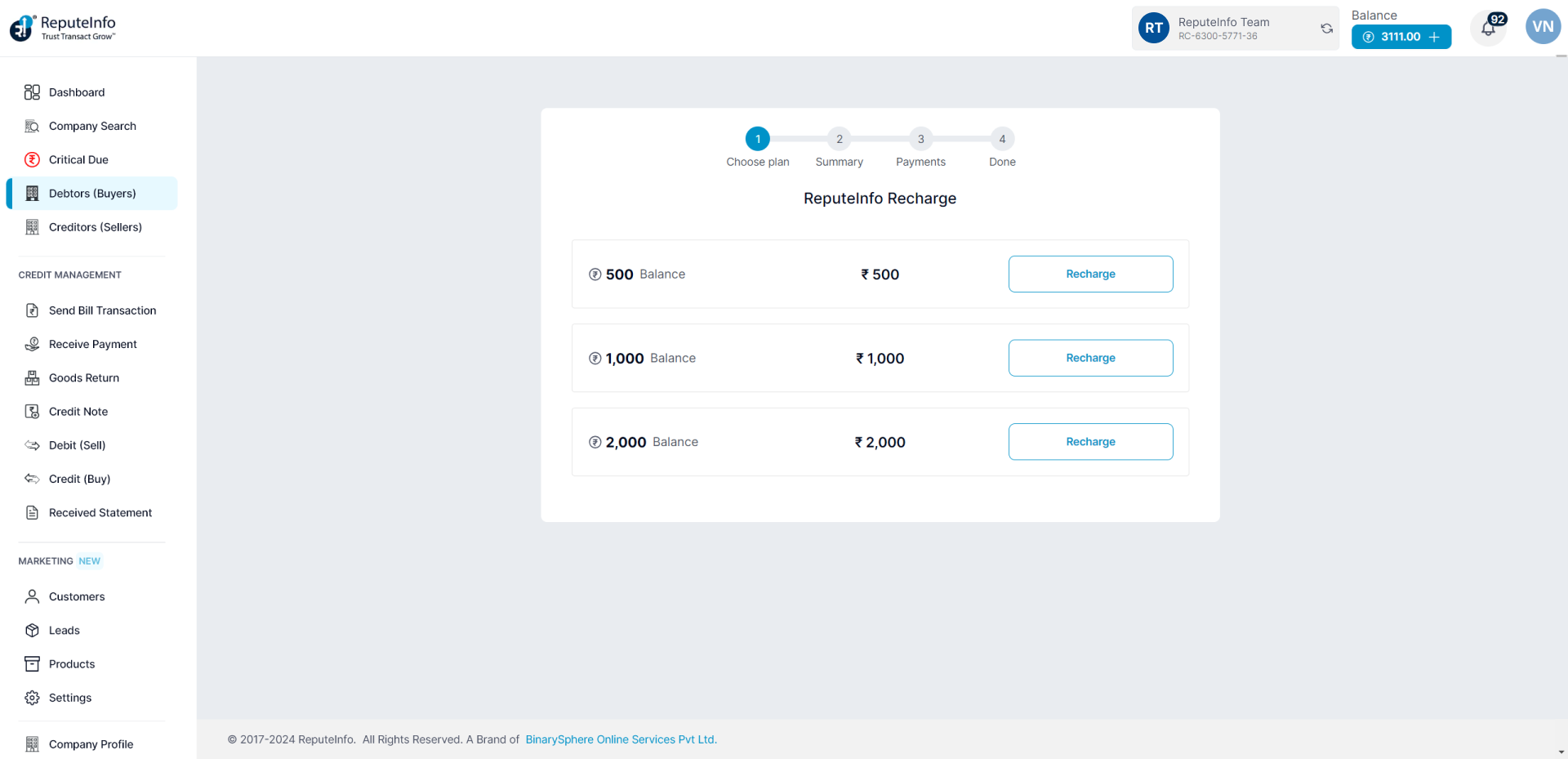
Step 4: Click on the Recharge button.
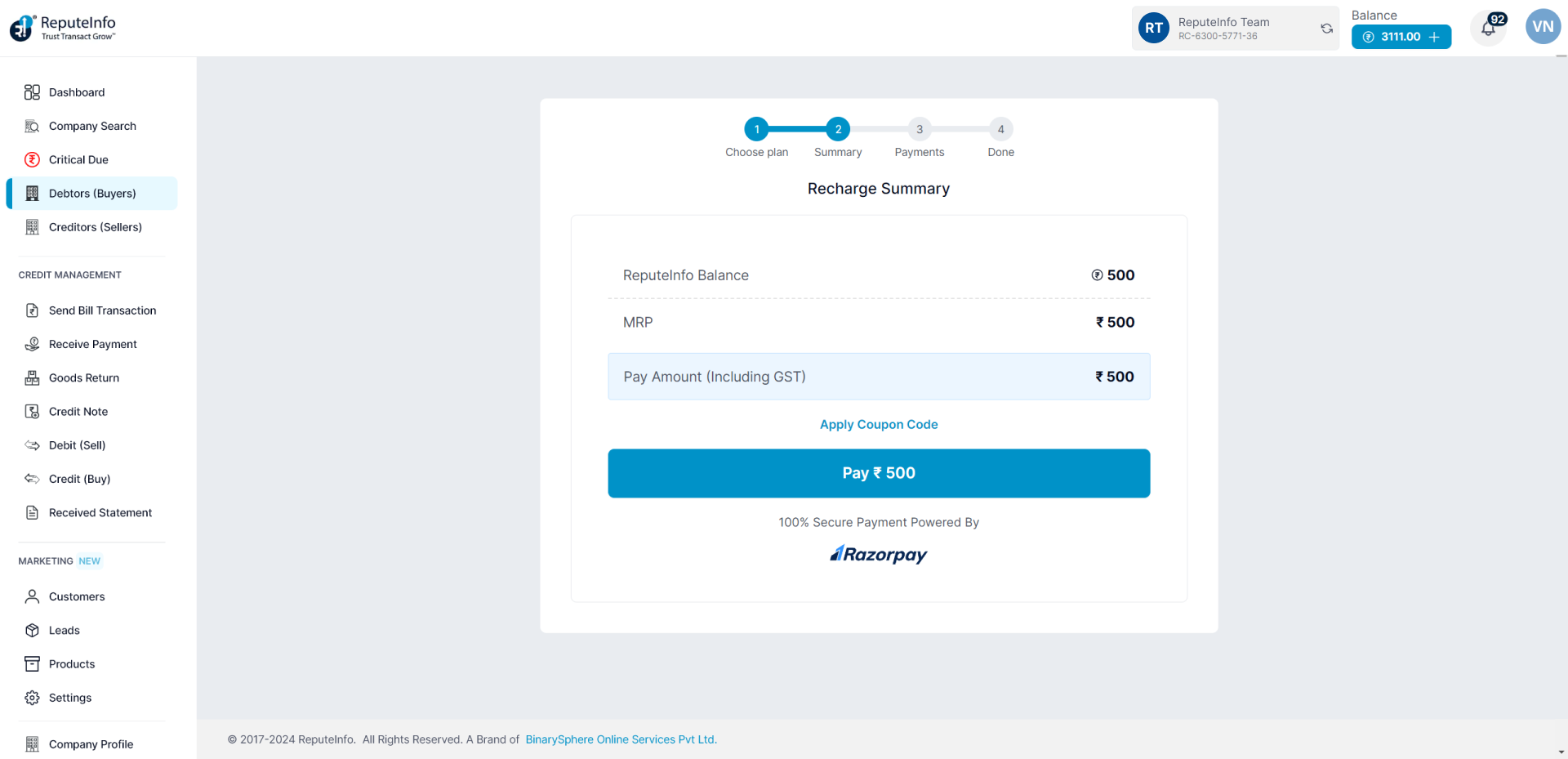
Step 5: Click on the Pay button.
Step 6: Follow process is a next-step payment process.
Step 1: Log in to your ReputeInfo account.
Step 2: Click on the Recharge.
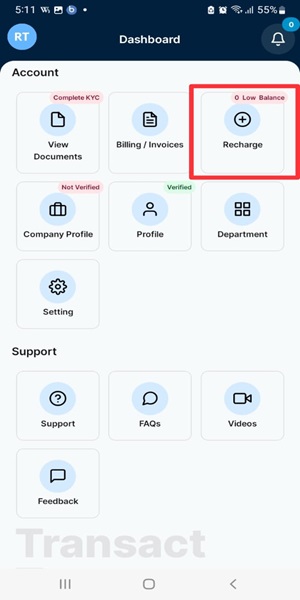
Step 3: You will see a list of all the charges for that organization
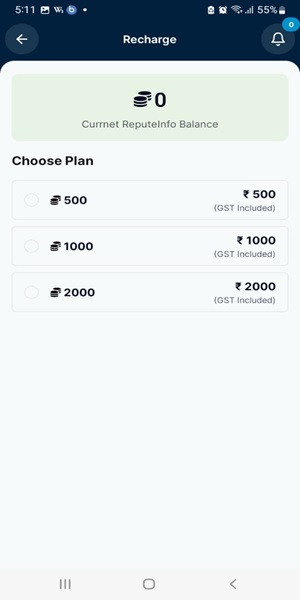
Step 4: Choose plan you want to recharge.
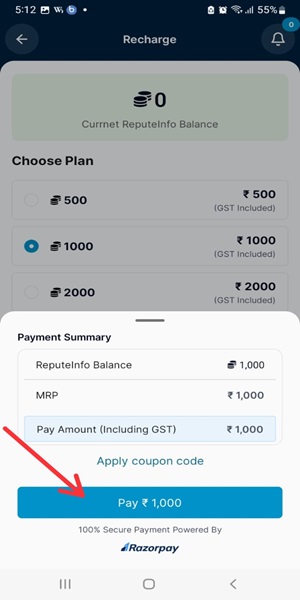
Step 5: Click on the Pay button.
Step 6: Follow process is a next-step payment process.