Increase Credit Limit
Your credit limits can have an impact on your credit score, an important number that lenders use to decide whether to issue you new credit and what interest rate to charge you for it. That's because your credit utilization ratio, or the amount of debt you have outstanding at any given time as a percentage of the total credit you have access to, is one of the factors that goes into computing your score.
Please follow the steps given below.
- Web
- Android/iOS
Step 1: Log in to your ReputeInfo account.
Step 2: Click on the Debit (sell) tab in the left-hand sidebar.
Step 3: Deptor of company name you want to Increase Credit Limit, click on the action ⋮ icon.
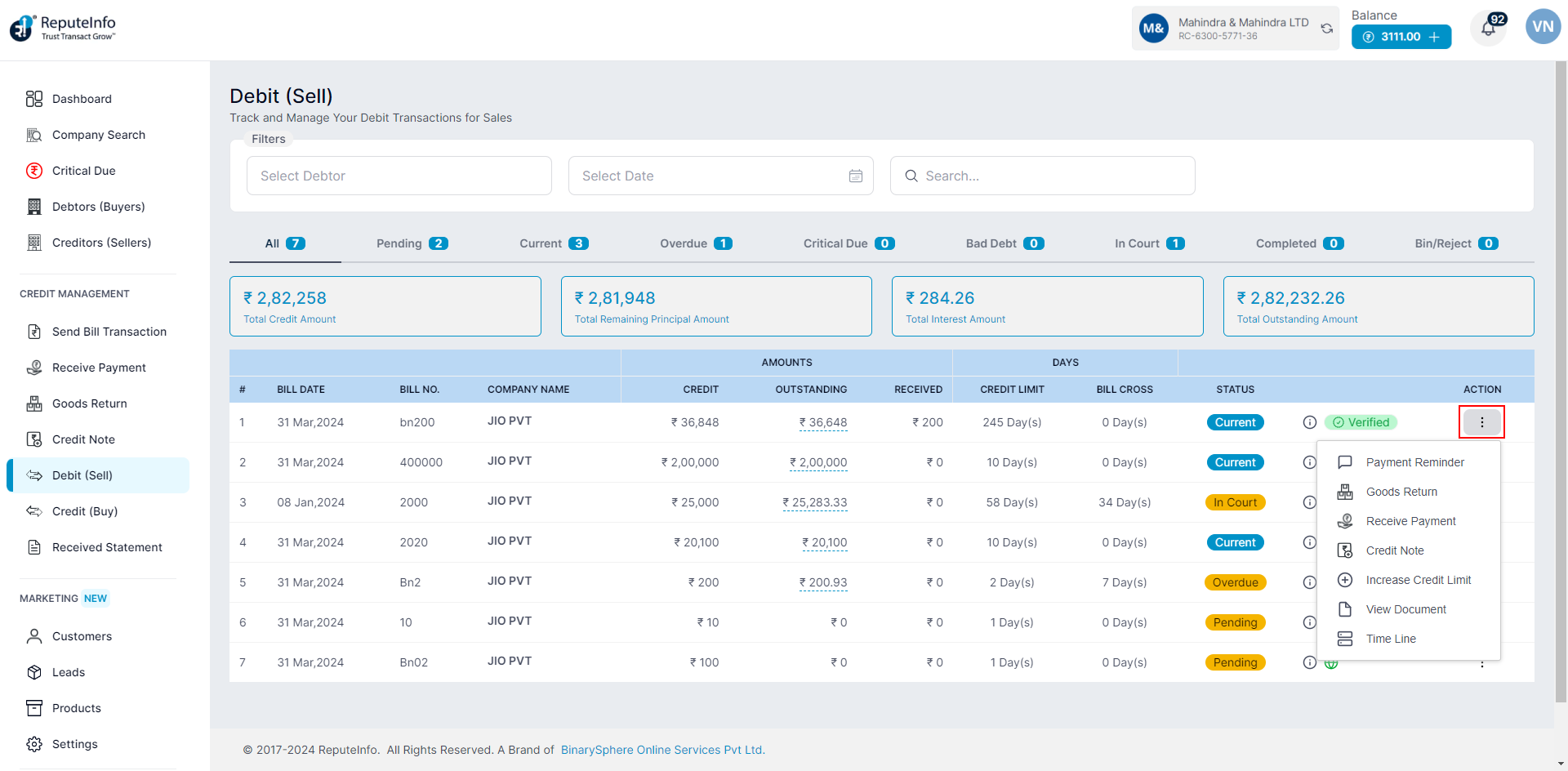
Step 4: Click on the Increase Credit Limit option.
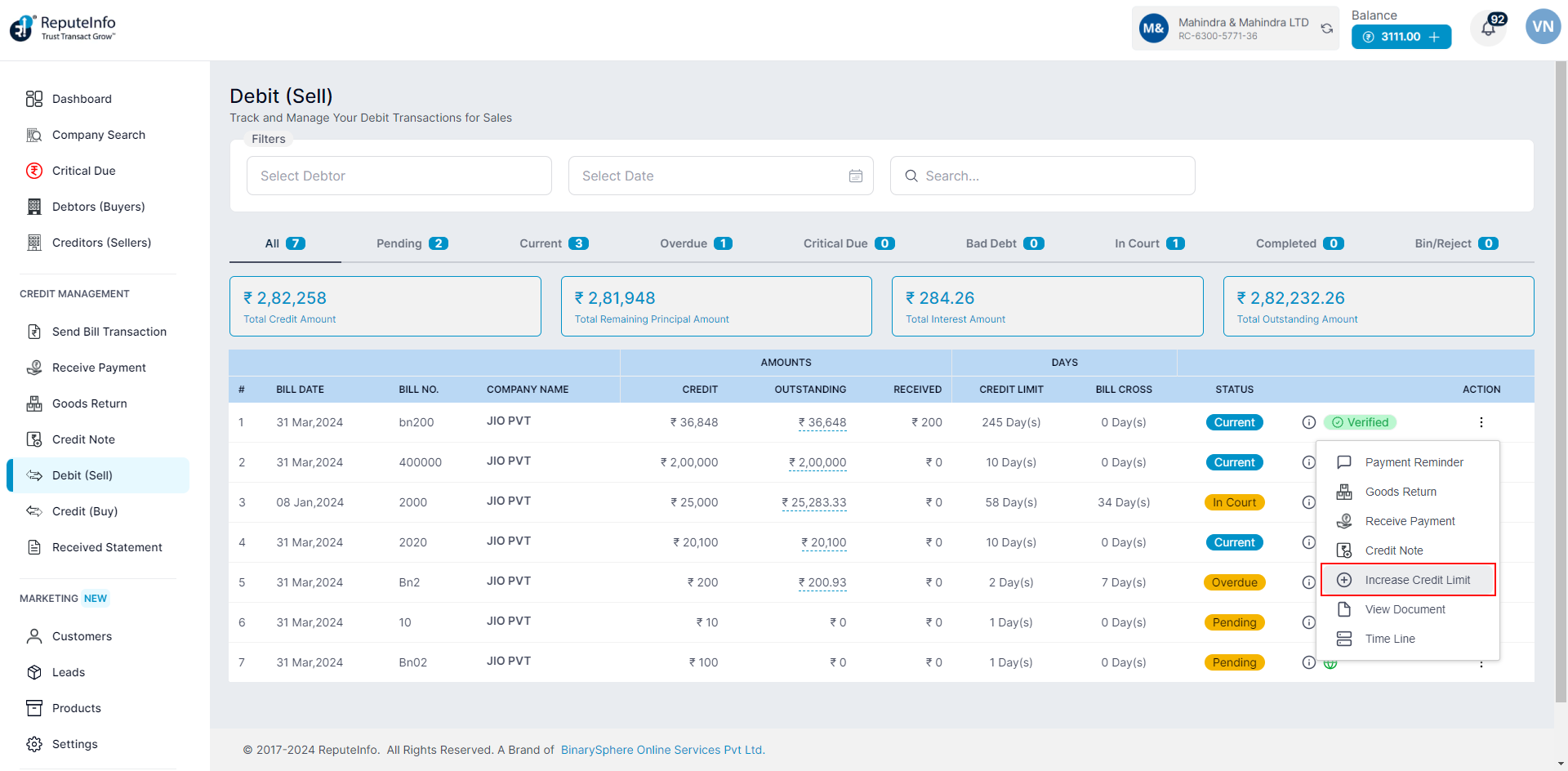
Step 6: Now, you will see the Increase Limit by field fill the days.
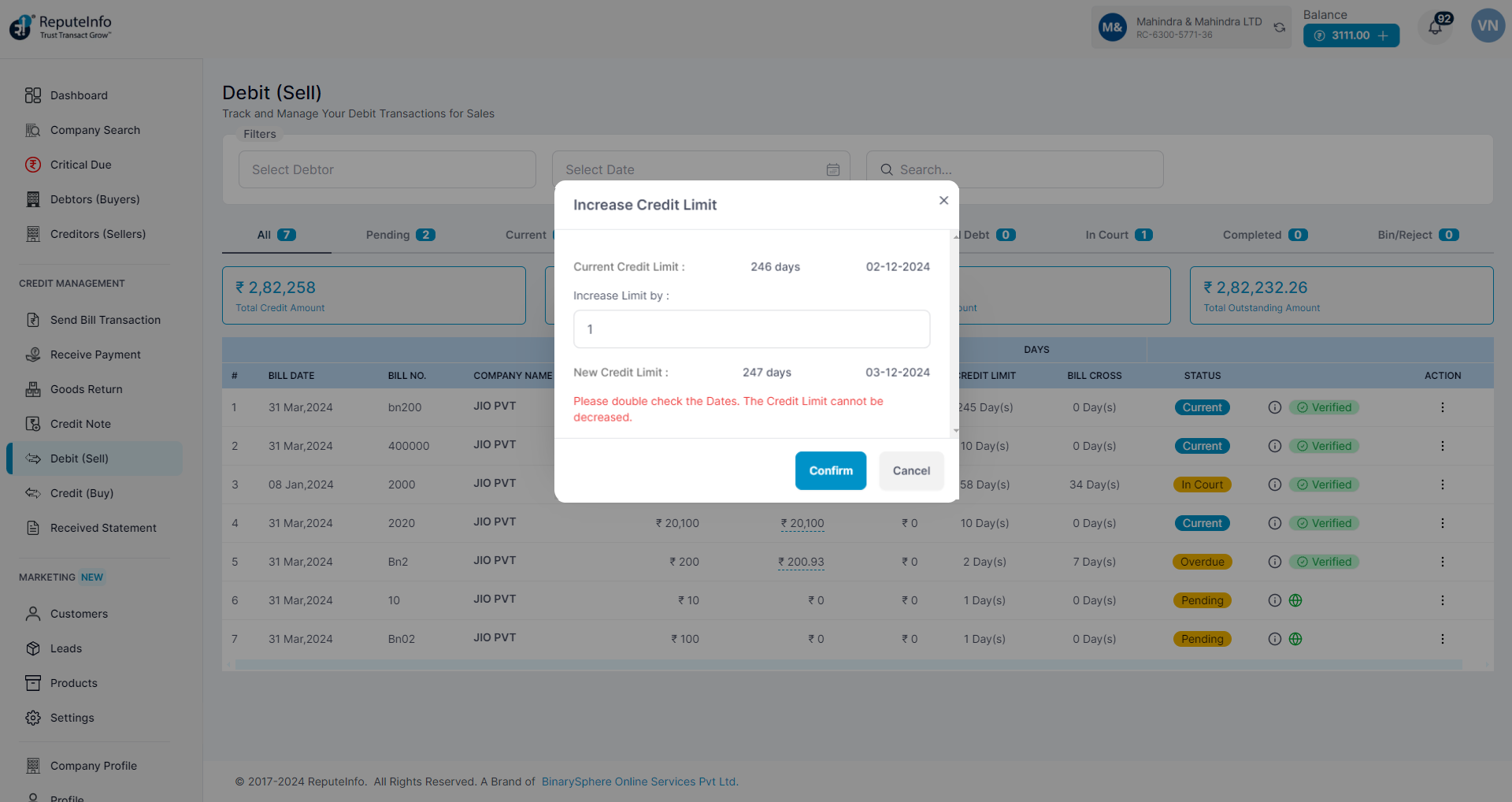
Step 8: Click on the Confirm button to increase credit limit the debtor Person.
Step 1:Log in to your ReputeInfo account.
Step 2:Click on the View Transactions.
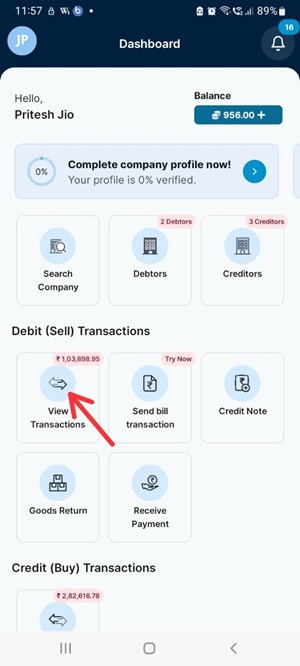
Step 3: Now, click on company, you want to increase credit limit.
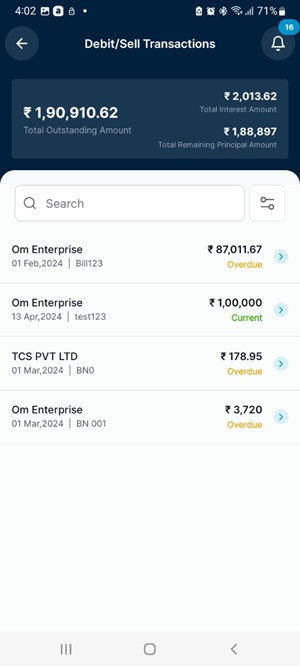
Step 4: Click on the Increase Credit option.
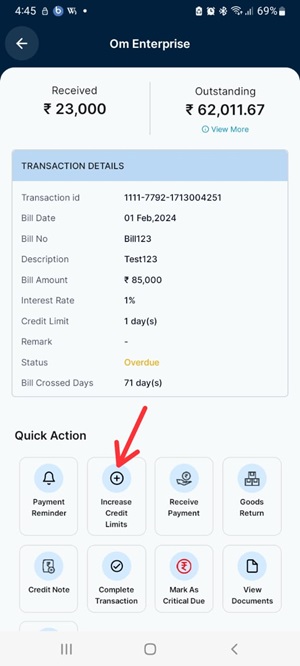
Step 5: Now, you will see the Increase Limit by field fill the days.
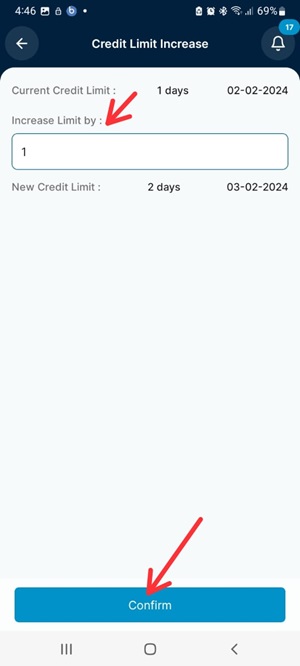
Step 6: Click on the Confirm button to increase credit limit the debtor Person.