Mark as critical due
Please follow the steps given below.
- Web
- Android/iOS
Step 1: Log in to your ReputeInfo account.
Step 2: Click on the Debit (sell) tab in the left-hand sidebar.
Step 3: Deptor of company name you want to mark as critical due, click on the action ⋮ icon.
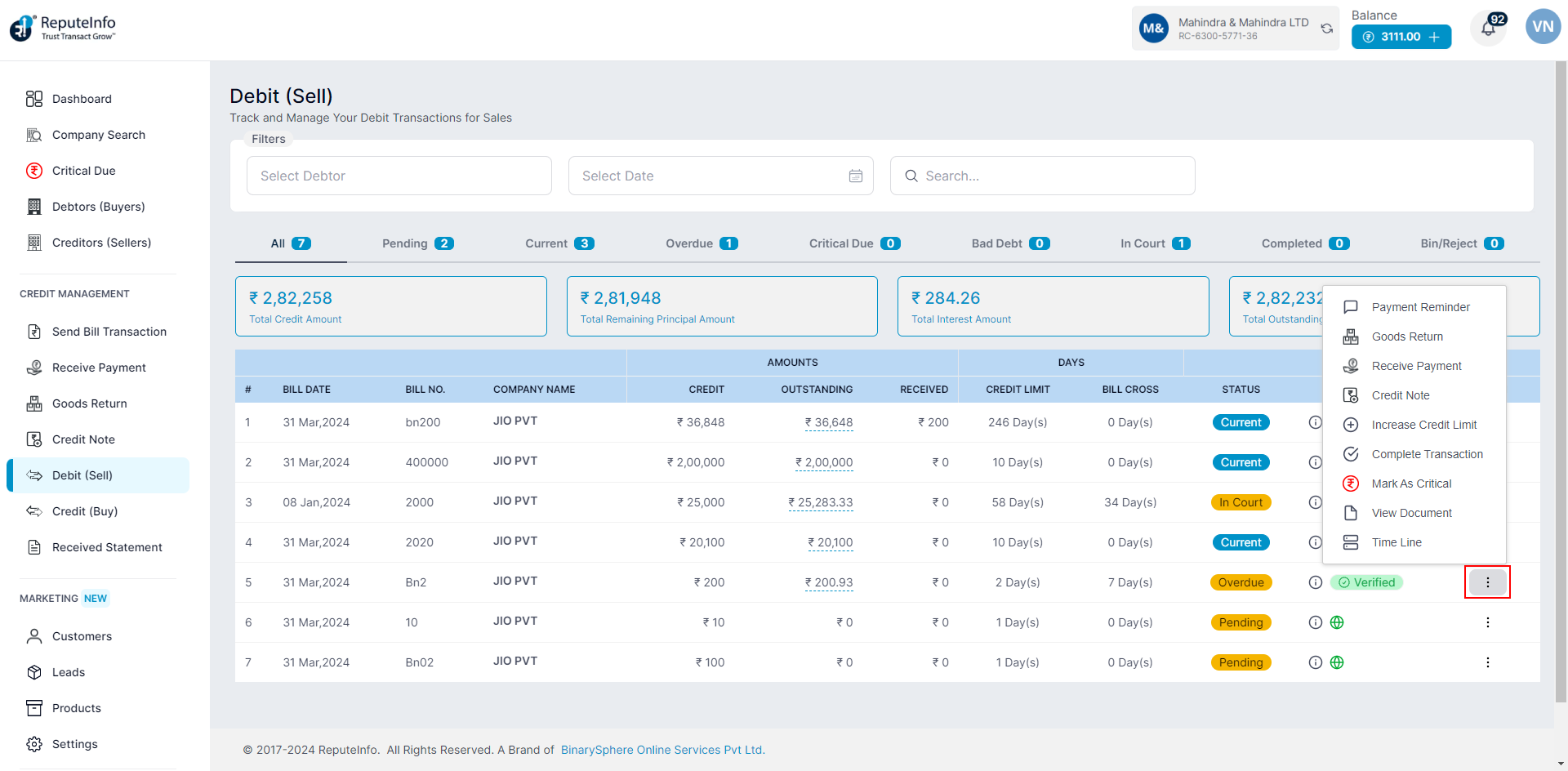
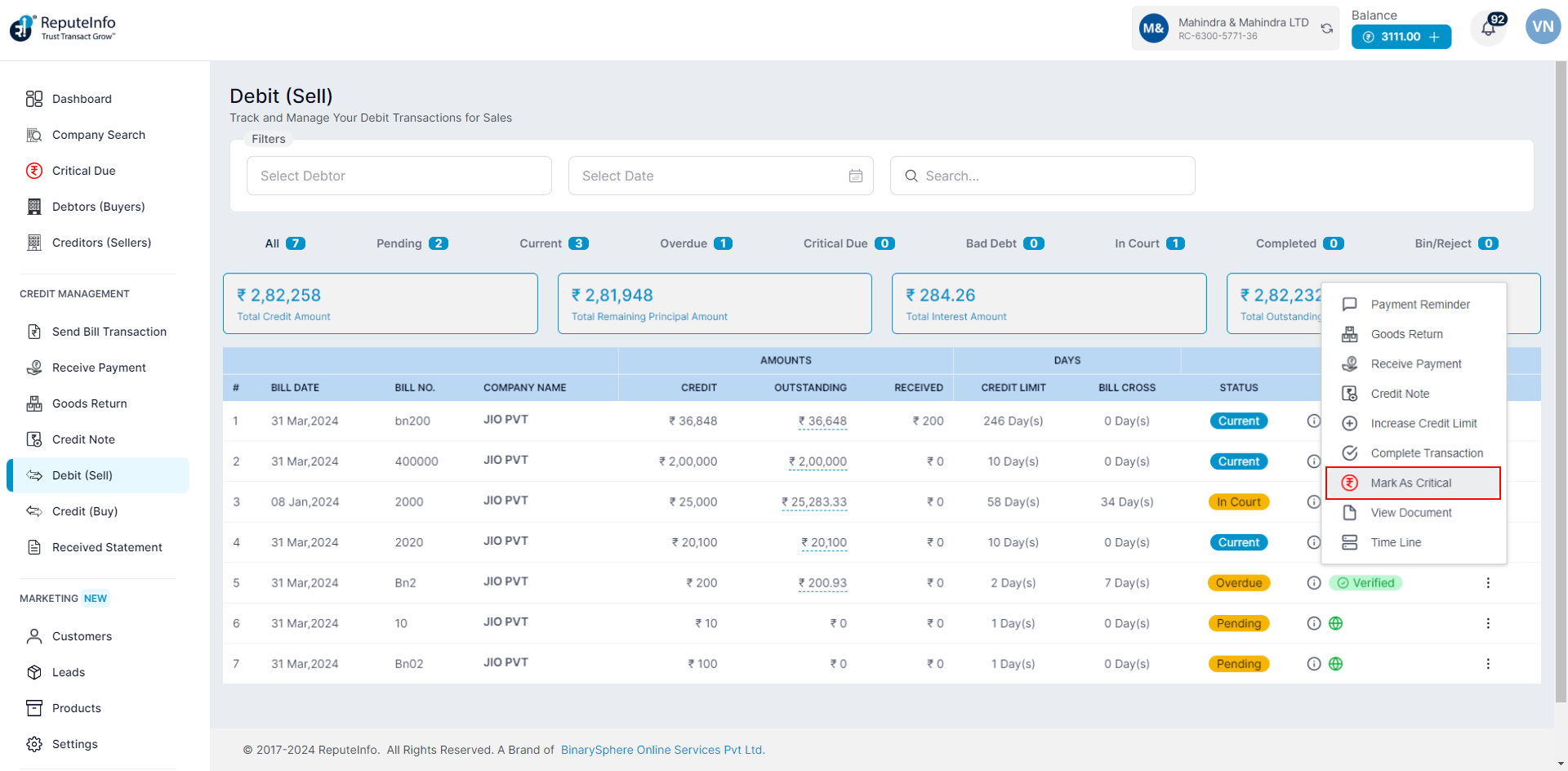
Step 4: Click on the mark as critical due option.
Step 5: A mark as critical due form will appear.
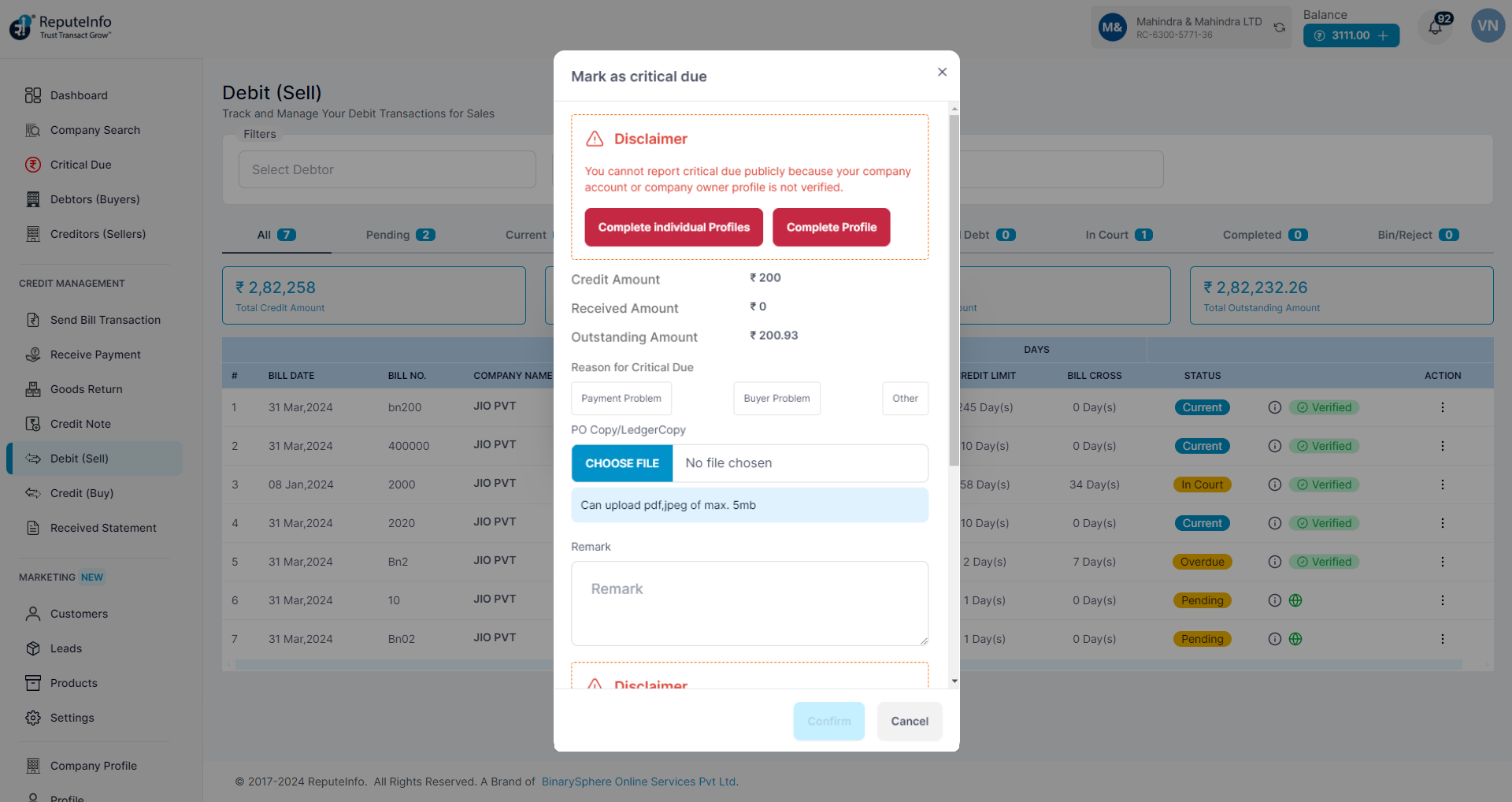
Step 6: Choose Reason for Critical Due.
Step 6: Add PO Copy/LedgerCopy
Step 7: Remark fill.
Step 8: Click on the Confirm button to mark as critical due the debtor Person.
Step 1:Log in to your ReputeInfo account.
Step 2:Click on the View Transactions.
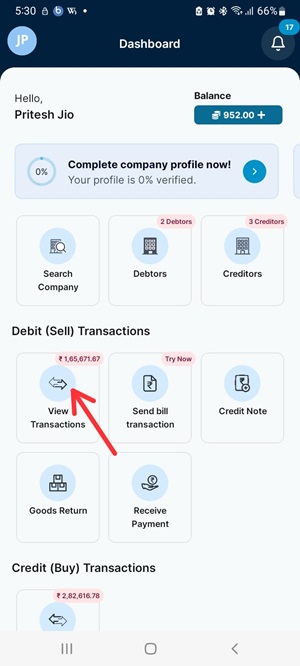
Step 3: Now, click on company, you want to mark as critical due.
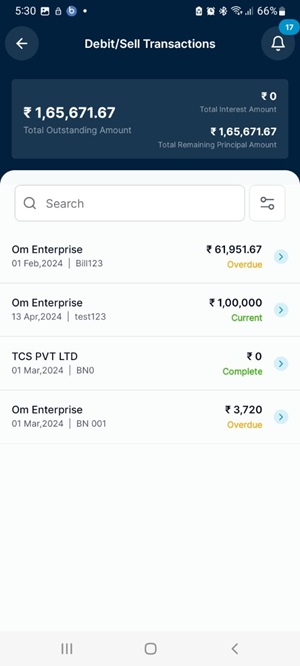
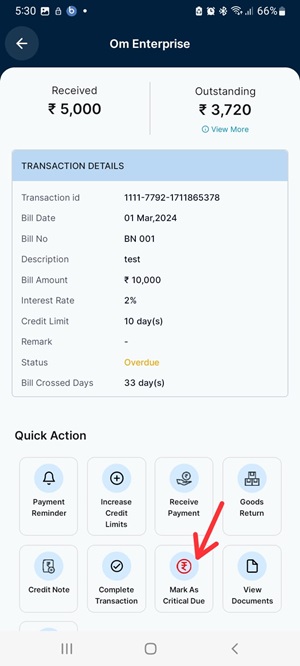
Step 4: Click on the mark as critical due option.
Step 5: Choose Reason for Critical Due.
Step 6: Add PO Copy/LedgerCopy
Step 7: Remark fill.
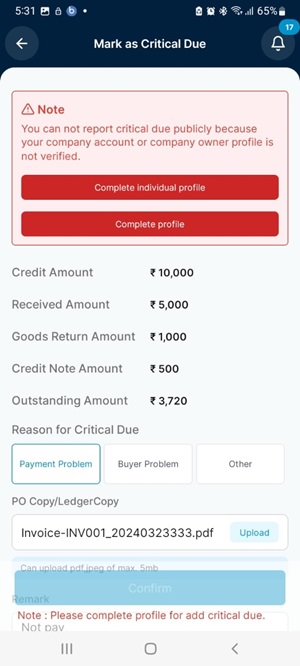
Step 8: Click on the Confirm button to mark as critical due the debtor Person.