Payment Reminder
Sending payment reminders is crucial for ensuring timely payments from clients or customers. A concise reminder like the one above serves as a polite nudge to prompt action. It clearly states the invoice number, due date, and emphasizes the importance of timely settlement to prevent any disruptions in services or transactions.
Please follow the steps given below.
- Web
- Android/iOS
Step 1: Log in to your ReputeInfo account.
Step 2: Click on the Debit (sell) tab in the left-hand sidebar.
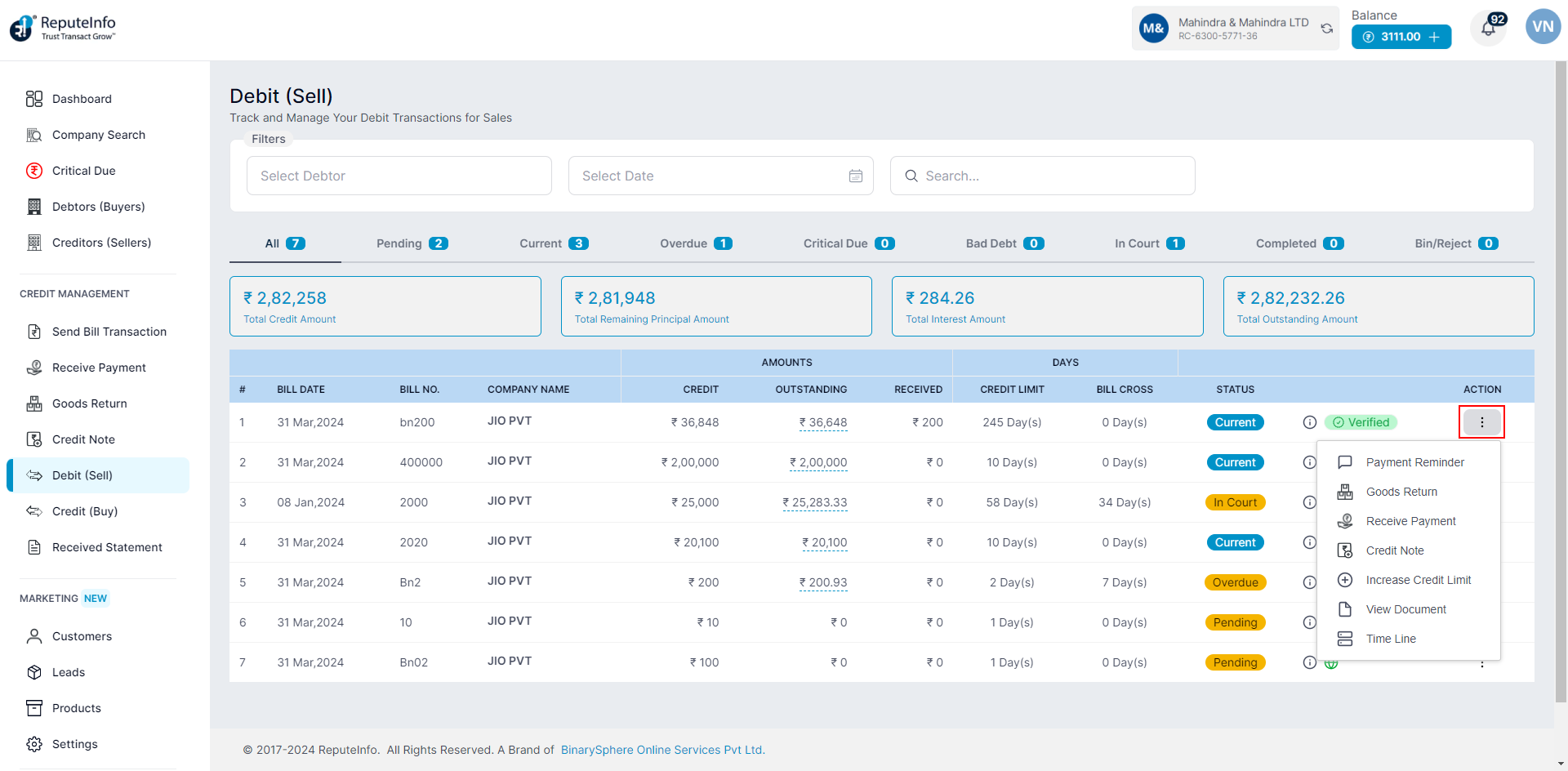
Step 3: Deptor of company name you want to payment reminder, click on the action ⋮ icon.
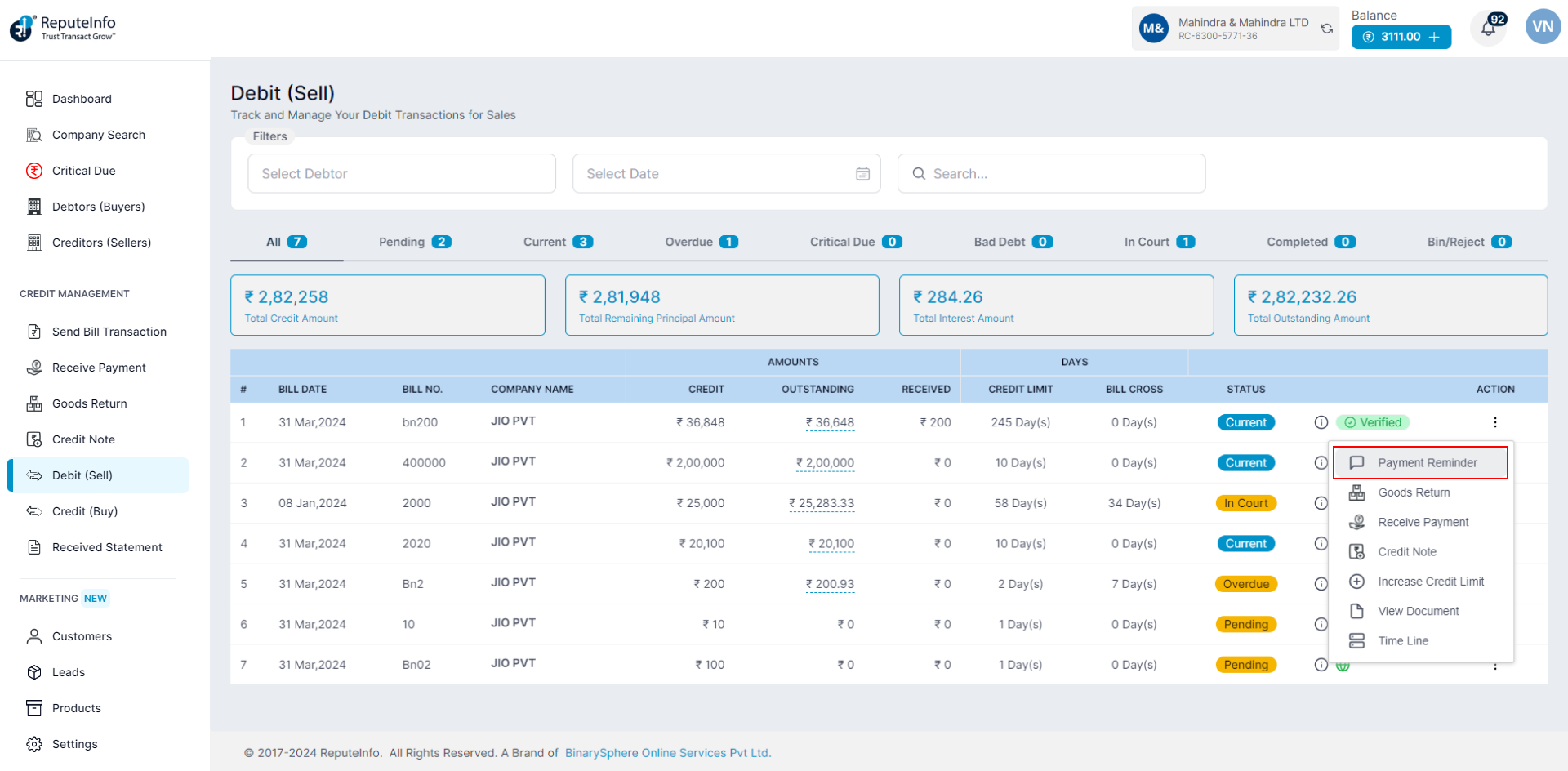
Step 4: Click on the payment reminder option.
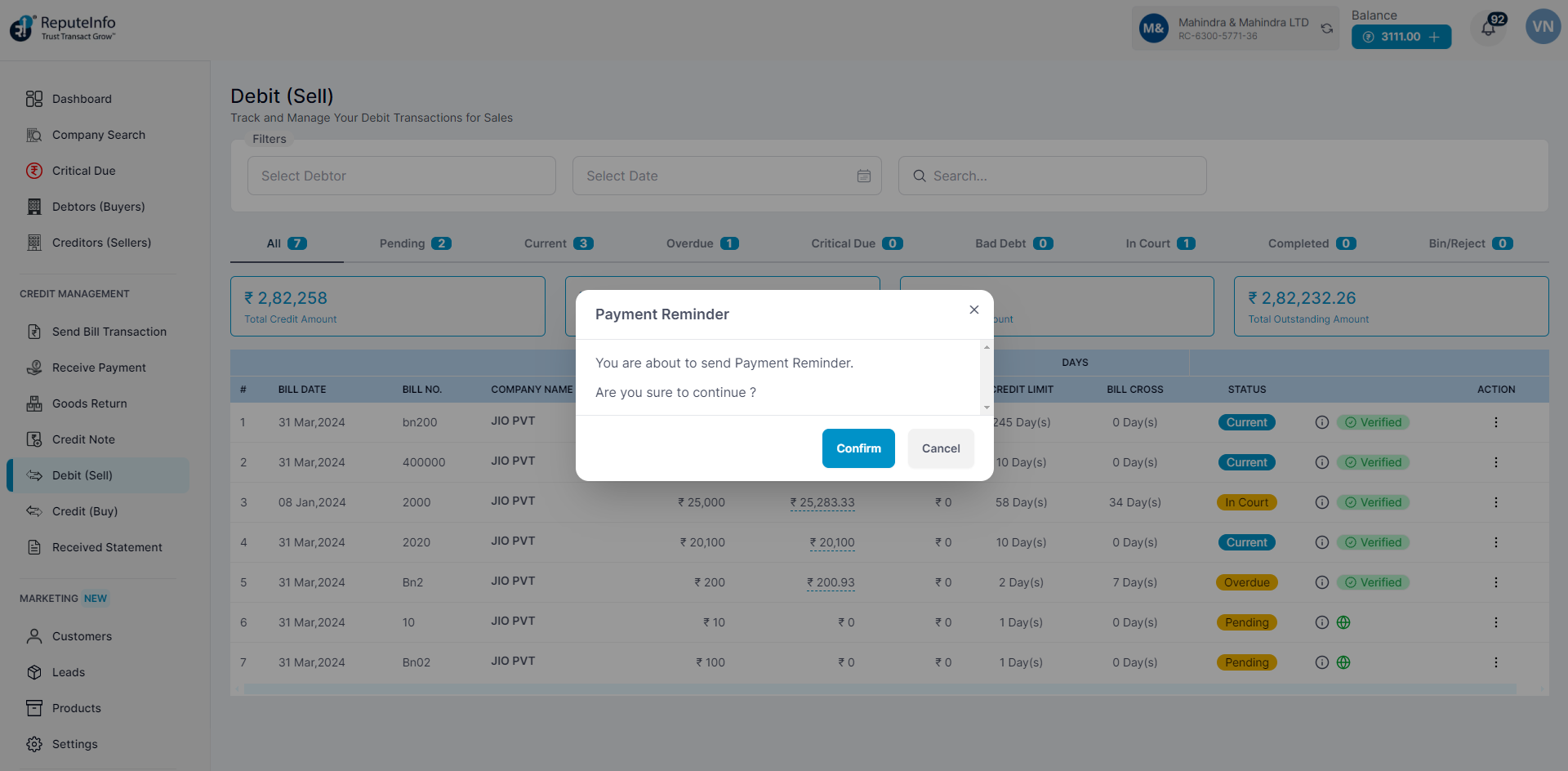
Step 5: Click on the Confirm button to call the debtor Person.
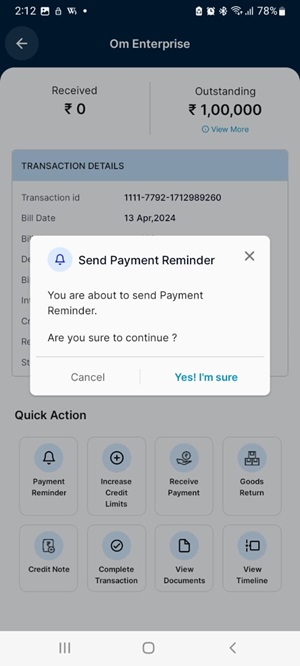
Step 1:Log in to your ReputeInfo account.
Step 2:Click on the View Transactions.
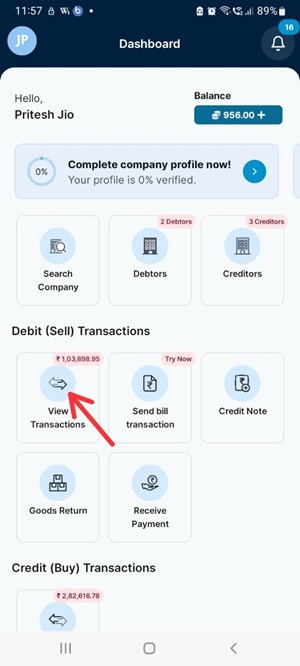
Step 3: Now, click on company, you want to sent payment reminder.
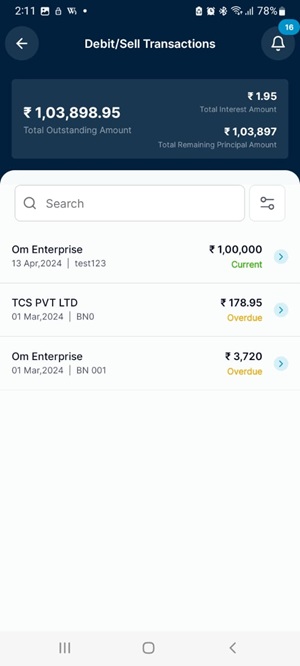
Step 4: Click on the payment reminder option.
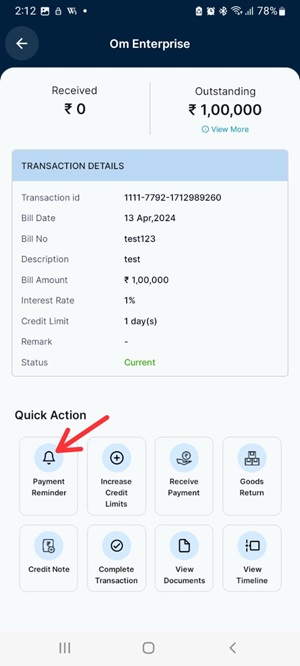
Step 5: Confirm to reminder the debtor Person.